Leaving lesson feedback is a great way to keep parents and students informed about their progress. It helps them stay engaged with lessons and gives them a record of what’s been covered.
You can leave feedback quickly from either the Tutorful website or the Tutorful app.
Using the Tutorful app
After a lesson has been completed, open the Schedule tab and select the lesson. Tap Add Lesson Feedback, write your feedback, and submit it. Your feedback will be sent directly to your student.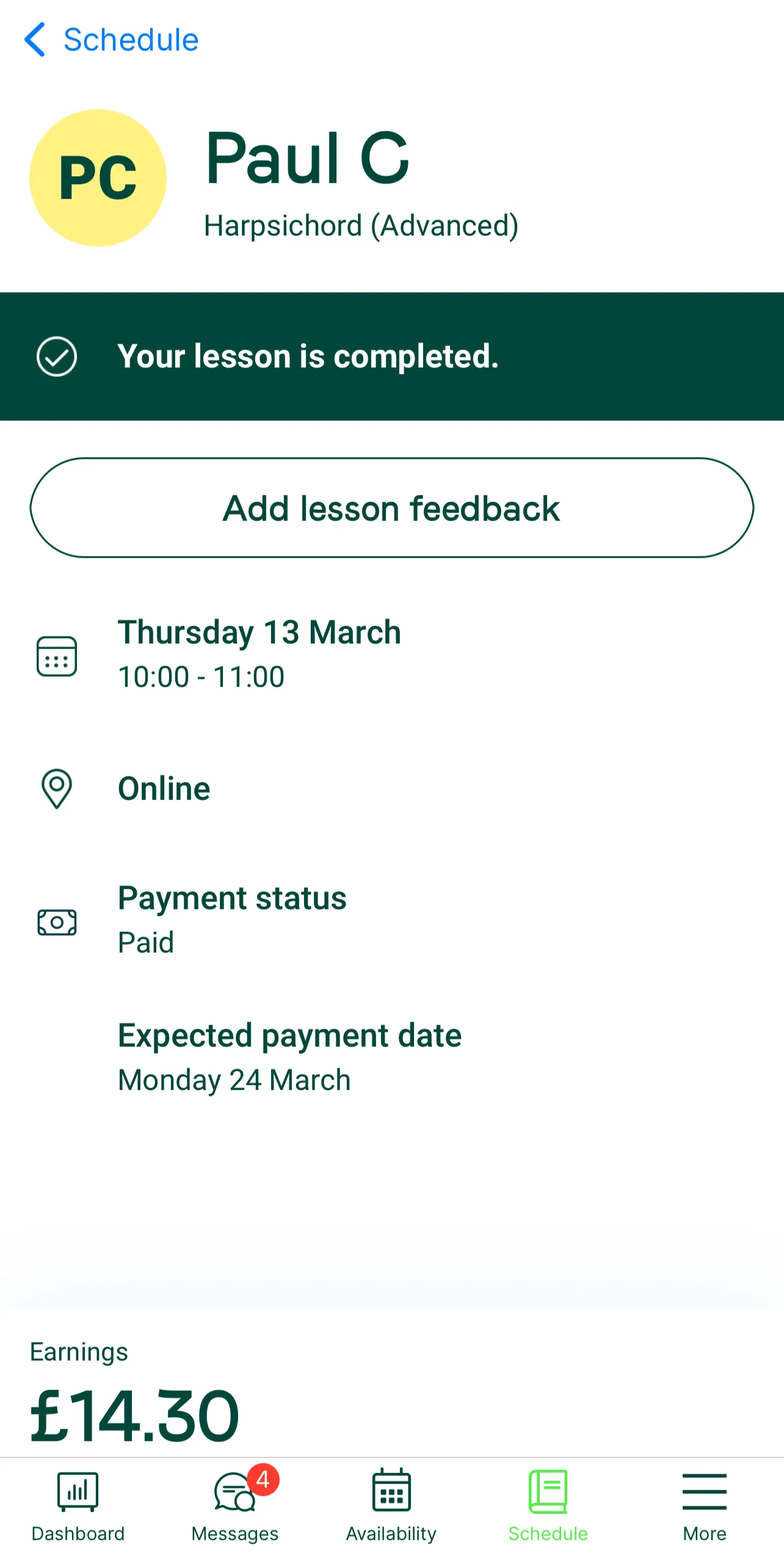
Using the Tutorful Website
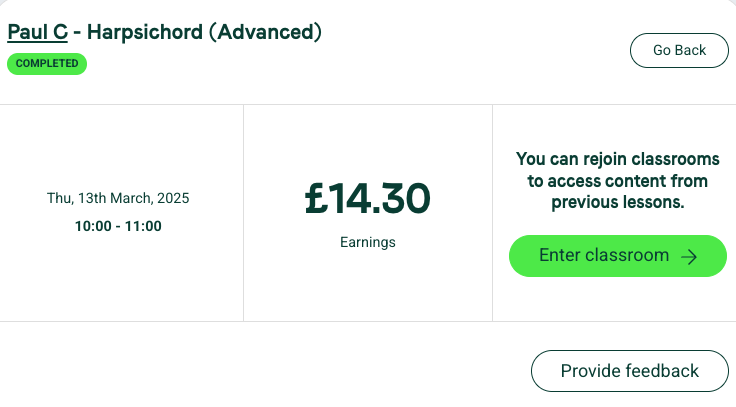
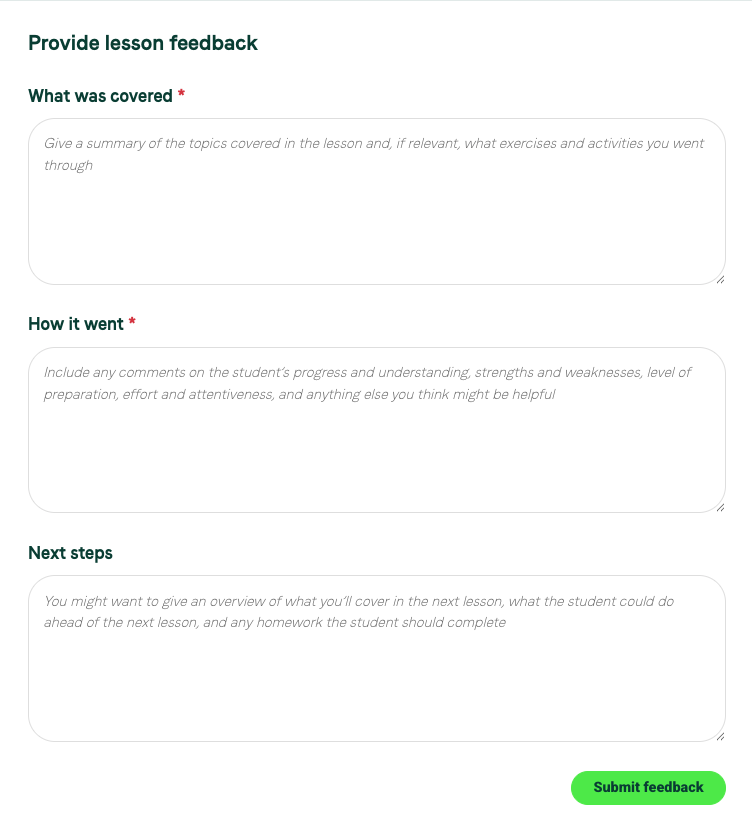
Go to your Completed Lessons tab and select Lesson details, next to the one you would like to leave feedback for. From there, click the 'provide feedback' button and complete the form to let students and parents know how the lesson went. Your feedback will be sent directly to your student.
Sharing your feedback with Tutorful
Lesson feedback is sent directly to your student. If there's anything you'd like to share with the Tutorful team instead, please contact our Engagement team via support@tutorful.co.uk.
What to do next
If you haven't already downloaded the Tutorful app, see How do I get the Tutorful app?
Was this article helpful?
That’s Great!
Thank you for your feedback
Sorry! We couldn't be helpful
Thank you for your feedback
Feedback sent
We appreciate your effort and will try to fix the article