Yes. You run your own business, so you set your hourly rate and can change it at any time. You can also charge a different rate for a specific student without changing your profile rate.
Remember, your hourly rate plus our service fee is the total price your students pay.
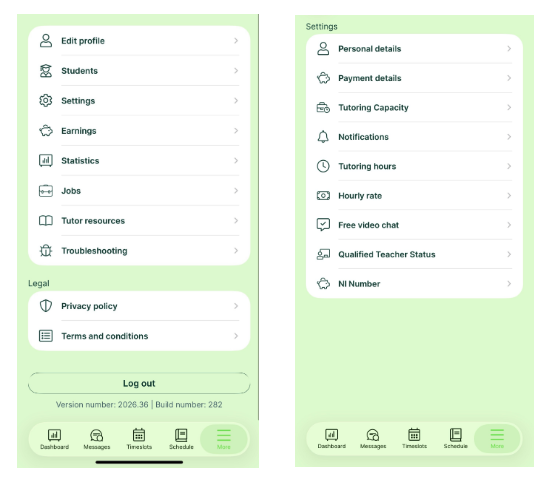
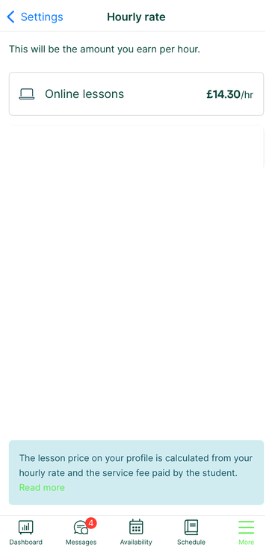
How to change your profile rate on the app
- Go to the More menu.
- Tap Settings, then Hourly Rate.
- Enter your new rate.
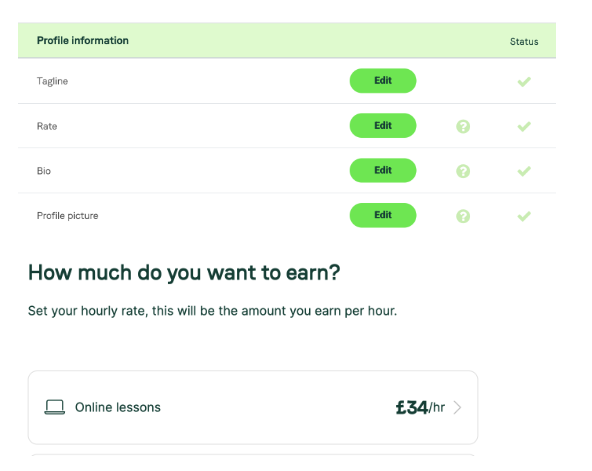
How to change your profile rate on the web
- Go to your profile and select Rate.
- Set your hourly rate in the form.
Charging a different rate for one student
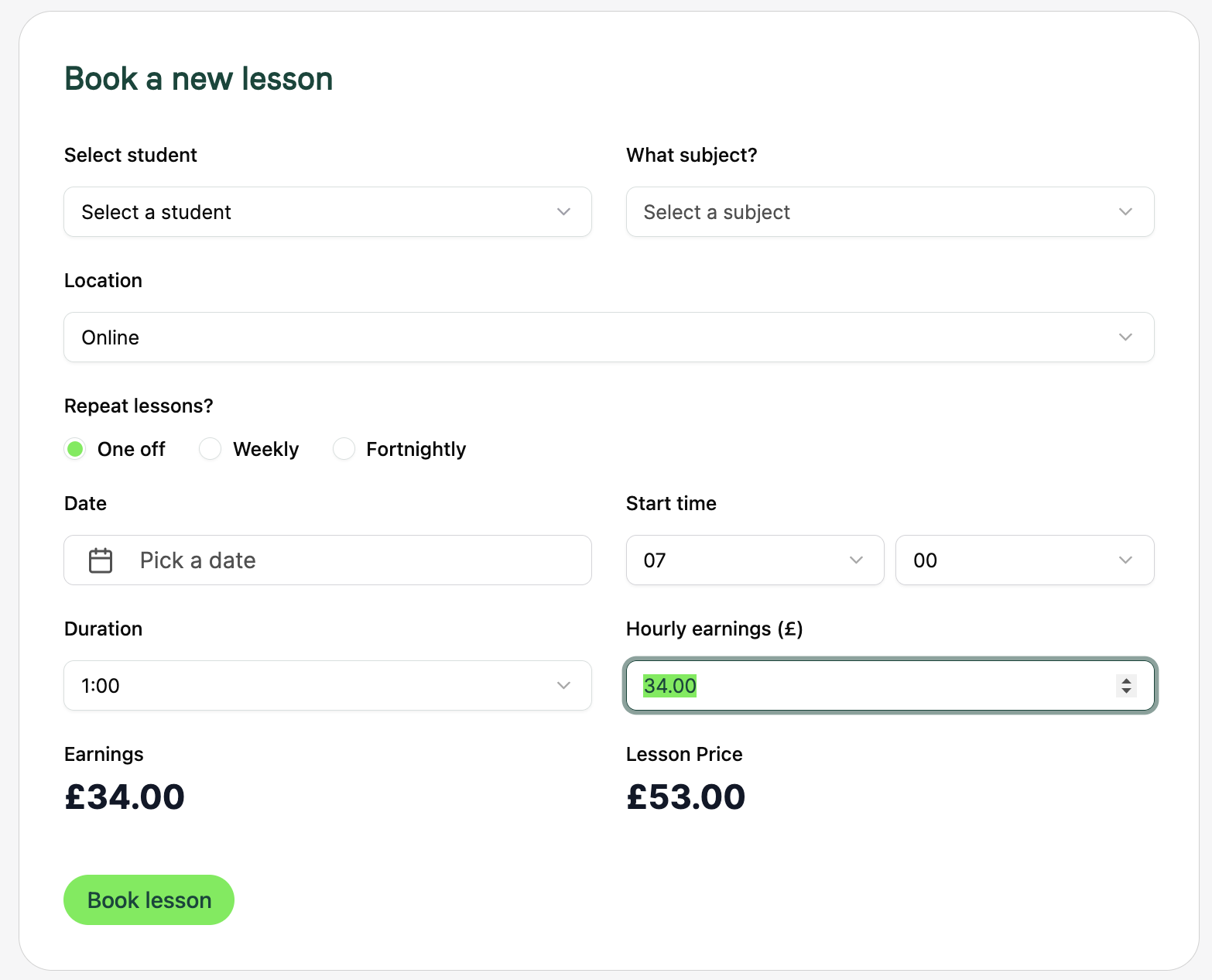
You can change the price for a single lesson without touching your profile rate, useful for honouring an existing student’s old rate, offering a discount, or adding a charge.
- When you book a lesson, tap Hourly Rate and enter the rate for that lesson.
- If you leave the box empty, the lesson uses your profile rate.
- To change an already-booked lesson, select the pencil to edit the booking.
This works on both app and web.
A note on existing students
When you raise your rate, we recommend honouring the old rate with current students, as they contacted you on that basis and may not want to pay more. Use the booking form to keep their previous rate.
Was this article helpful?
That’s Great!
Thank you for your feedback
Sorry! We couldn't be helpful
Thank you for your feedback
Feedback sent
We appreciate your effort and will try to fix the article