If you’re just taking a break, you don’t need to delete your account. We can remove your saved payment details and leave the account open in case you want a tutor again later. Email our Engagement Team at support@tutorful.co.uk to do this.
How to delete your account
If you’d like to close your account in line with our Privacy Policy:
- Log in and click your initials in the top right, then select My Account.
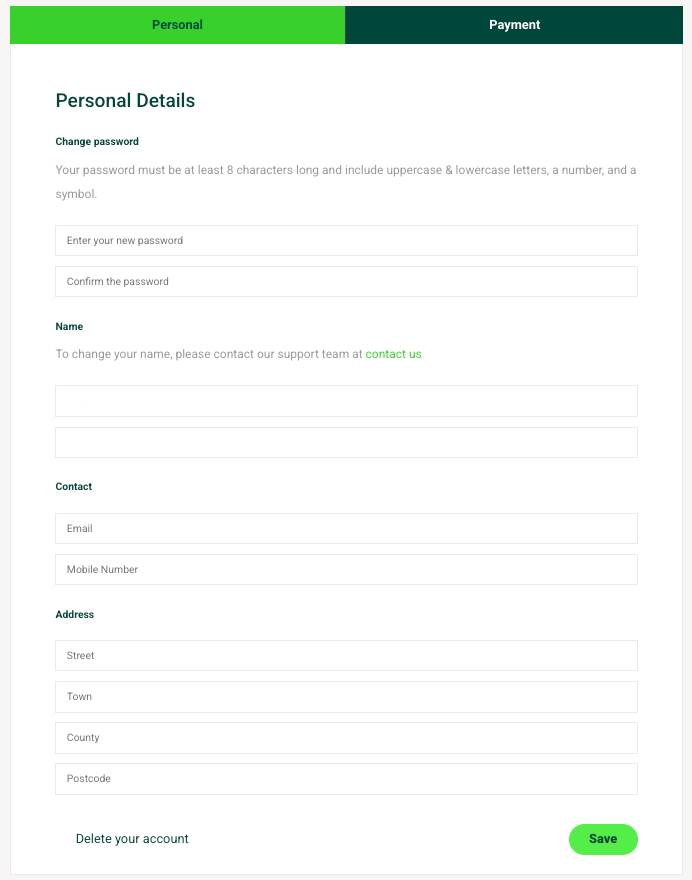
- Click Delete account at the bottom of the personal section.
3. Follow the option to delete.
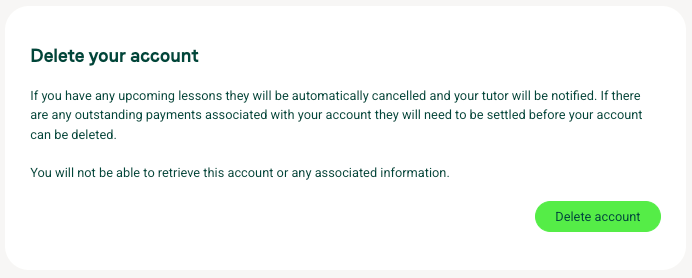
Before you delete
- Any upcoming lessons will need to be cancelled.
- We need to make sure all due payments have been processed first.
For our Privacy Policy, see tutorful.co.uk/privacy-policy.
Was this article helpful?
That’s Great!
Thank you for your feedback
Sorry! We couldn't be helpful
Thank you for your feedback
Feedback sent
We appreciate your effort and will try to fix the article