Your profile holds everything a student needs before contacting you, so make it clear and cover every subject you want to offer. This article walks through each section you’ll complete before submitting.
How the profile builder works
When you sign up on our app, you’ll see any sections that still need completing. Each section is checked off as you finish it, so you can leave and pick up where you left off.
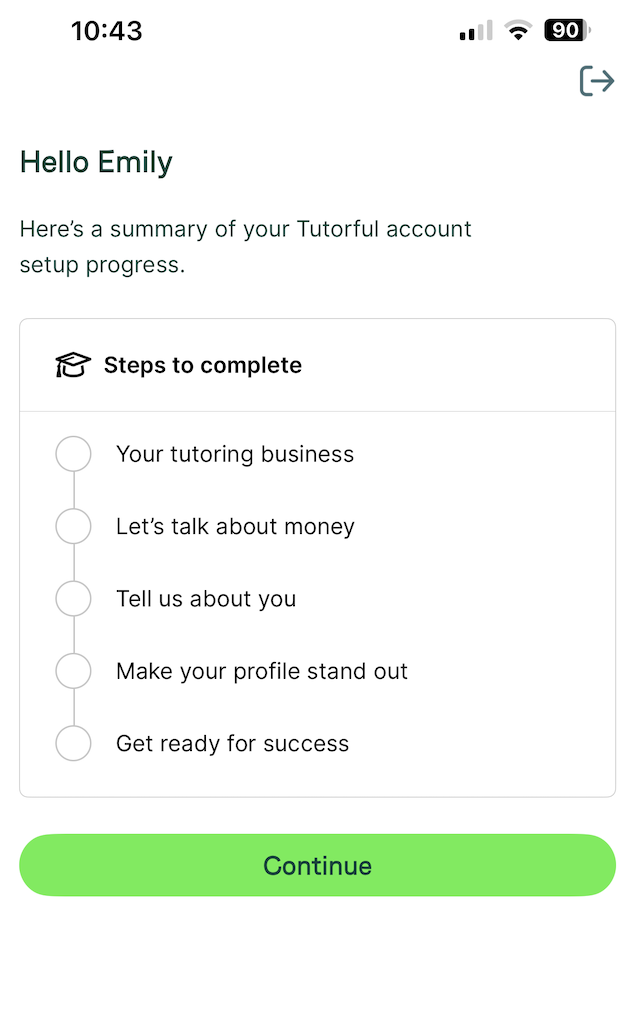 Sections you need to complete
- Tagline: appears next to your name in search results and at the top of your profile, for example “Enthusiastic GCSE Maths Tutor”. The dynamic tagline changes the subject based on what the student is searching for. The “Maths” example is just a placeholder and won’t be what shows on your profile.
- Rate: set your own hourly rate. We add a small service fee on top, paid by the student. If you charge different rates for different subjects or levels, enter your highest rate here and explain the detail in your bio. You can read more about this here.
- Bio: one of the most important sections. Tell students why you’re a great tutor and describe your experience, in a professional but friendly tone, written in the first person. You’ll write both a long and a short bio. You can read more about this here.
- Profile picture: a good-quality photo of only you, clear, in colour, looking friendly and professional. More information on choosing your profile picture can be found here.
- Qualifications: list qualifications that support your subjects. As a rule, hold a qualification at least one level above what you teach.
- Subjects: only list subjects at levels you can teach, have qualifications for, and know the exam process for. If you lack a formal qualification, explain your experience in your bio. Students prefer specialists, so list only two subject groupings (for example Maths, English, Sciences, Languages, Humanities).
- ID: upload a passport or driving licence so we can verify your identity and pay you. We also verify your billing address via your driving licence or an additional document. Information on the ID we can accept can be found here.
- DBS: we require an enhanced background check. If you have a certificate issued in the last 3 years, add a photo during your application to speed things up. If not, we’ll send you a link to sign up for a check if we’re happy to proceed. You can find out more about this here.
- References: at least two, from past managers, colleagues, or students. Add each person’s name, email, and relationship to you, and we’ll send them a reference form. We can’t accept references from family members.
- Payment details: not needed before you go live, but required before your first lesson so payments aren’t delayed.
Once these are added, your profile is submitted to our team automatically. We’ll be in touch as soon as we can.
Was this article helpful?
That’s Great!
Thank you for your feedback
Sorry! We couldn't be helpful
Thank you for your feedback
Feedback sent
We appreciate your effort and will try to fix the article