New students book their first lesson through your profile, so you don’t usually create the initial booking. You may still need to book on a student’s behalf, for example, a new lesson for an existing student, or rebooking a first lesson that was cancelled.
How to book on the web
- Go to the Lessons option at the top of your screen.
- Under Upcoming Lessons, select Book a lesson.

- Fill in the details and check the lesson price at the bottom (your hourly rate plus our service fee, which is what the student pays in total).
- Click Create Booking. We add the lesson and email your student to confirm.
If you book more than a day in advance, the student has up to 12 hours before the first session to confirm by entering payment details. We message you once they’ve confirmed.
Lessons can only be booked up to 6 hours in advance, so you couldn’t book a lesson for 3 hours’ time.
How to book on the app
Go to your schedule page, tap the + in the bottom right, fill in the details, and tap Book Lesson.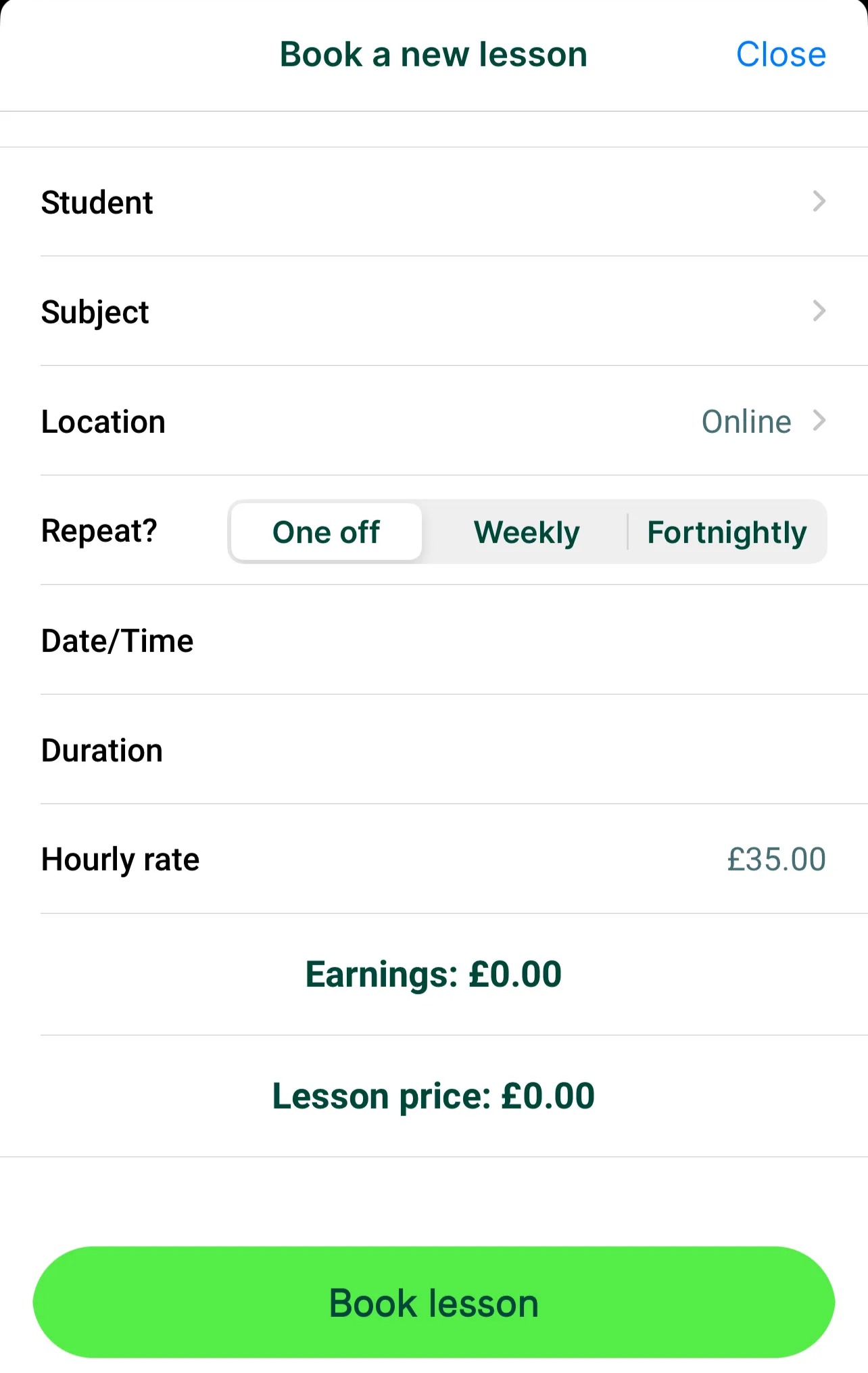
Booking recurring lessons
- Weekly lessons are selected by default.
- For a single lesson or fortnightly lessons, change Weekly to One off before confirming.
- Recurring bookings don’t charge the student upfront; they’re charged after each lesson.
- We recommend recurring lessons where possible, as students like having regular sessions scheduled ahead.

Was this article helpful?
That’s Great!
Thank you for your feedback
Sorry! We couldn't be helpful
Thank you for your feedback
Feedback sent
We appreciate your effort and will try to fix the article