Once you’ve found a tutor, book using the booking form on their profile.
How to book
- On the tutor’s profile, use the booking form. We suggest adding a short paragraph about your requirements:
- Who the lessons are for (include school year if for a child).
- Any particular challenges or topics to focus on.
- What success looks like (if for an exam, include the current predicted grade).
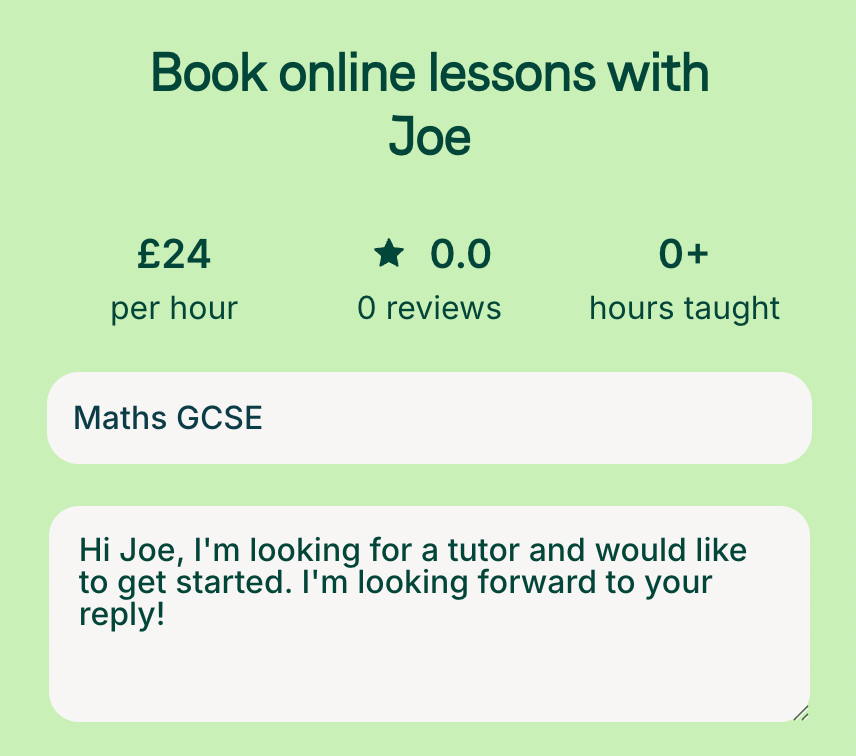
2. Select the date, time, and duration of your first lesson.
3. Click Book now.
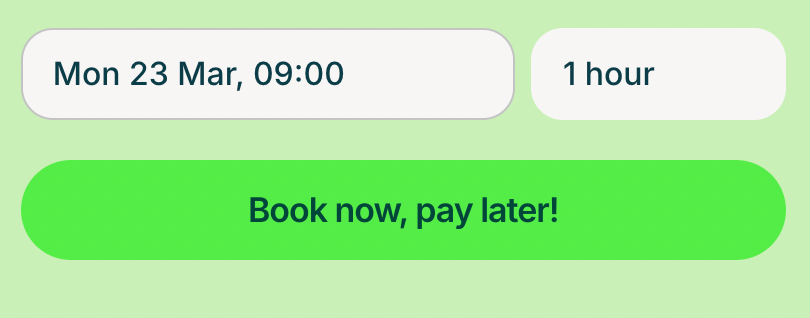
4. Confirm your payment details if you haven’t already. Your weekly lessons are then booked.
Lessons are booked weekly by default. If you don’t want the same time each week, tell your tutor after booking and they can adjust.
Managing your lessons
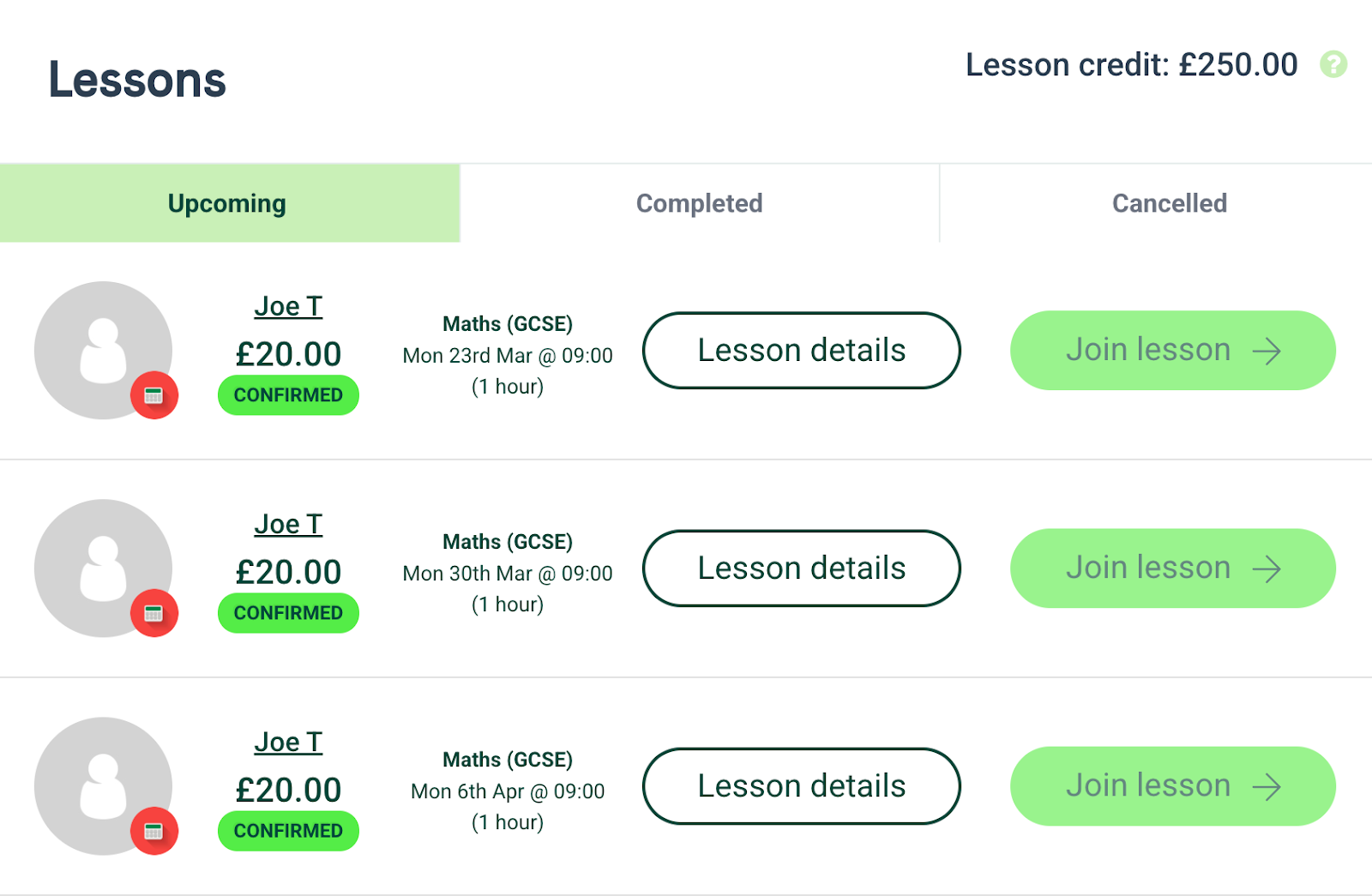
View, manage, and join lessons from your dashboard. For a list view, go to the Lessons tab, which is also where you cancel lessons if needed.
What to do next
To cancel a lesson, see How can I reschedule or cancel a booking?
Was this article helpful?
That’s Great!
Thank you for your feedback
Sorry! We couldn't be helpful
Thank you for your feedback
Feedback sent
We appreciate your effort and will try to fix the article