You can view and download your earnings for a specific period from your Tutorful account on the web.
How to download your earnings
- Log into your account and select the Earnings tab in the top-left tab bar.

- Use the box on the right to filter by date.
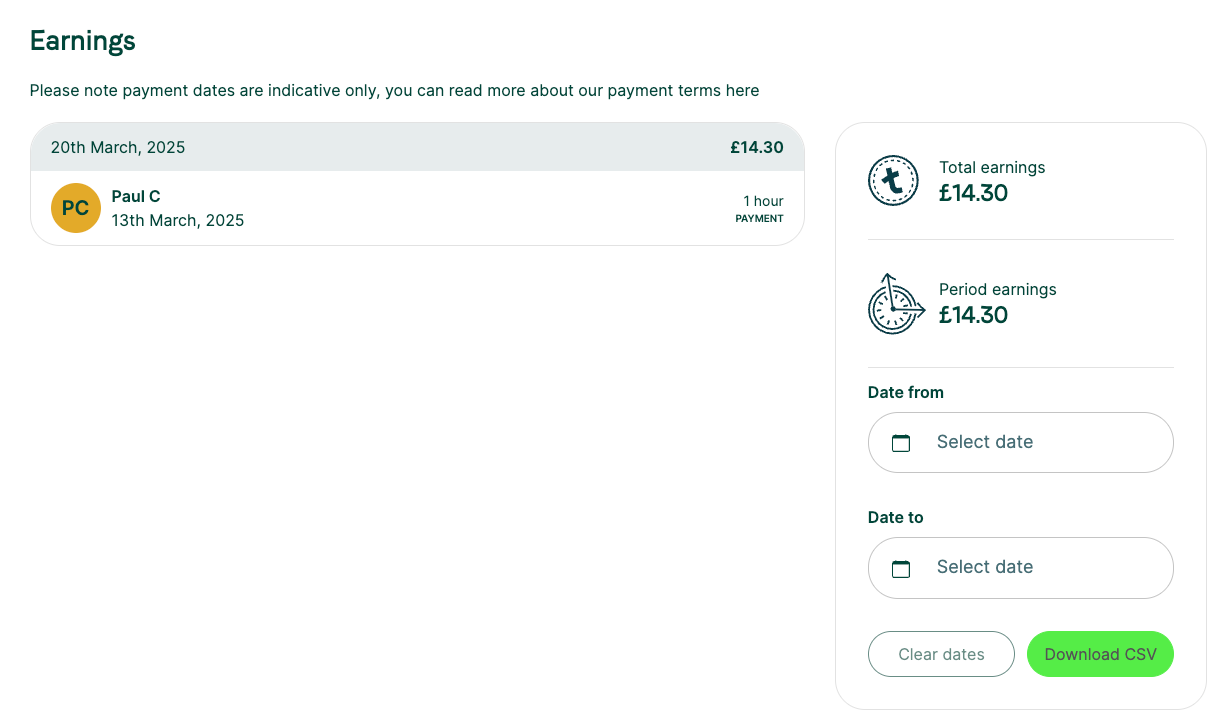
- Use the download button to create a CSV of your earnings for that period.
Was this article helpful?
That’s Great!
Thank you for your feedback
Sorry! We couldn't be helpful
Thank you for your feedback
Feedback sent
We appreciate your effort and will try to fix the article