We have a wide variety of tutors using our platform who all tutor for different reasons. Tutoring may be your full-time job, part-time work or a side hustle for you. You may only want to take on a certain number of students at one time. We've created parts of your profile where you can let us know all of the information about your capacity to teach.
All you need to do to update your capacity information is download the Tutorful app! Once you're logged in, head over to the 'More' menu on the bottom right-hand side of the screen. All you need to do then is tap 'Settings’ and ‘ Tutor Capacity:
From there, you can give us the following information:
- Whether you're tutoring full-time, part-time or occasionally
- How many other tutoring platforms or agencies you work with
- The number of students you want to teach at any one time
- How many hours per week you'd like to tutor

Unfortunately this setting is currently only available via our app.
NEW
You can tell us your capacity to teach, whether tutoring is full-time, part-time, or occasional for you, through the app. This setting is currently only available in the app.
How to update your capacity
- Log into the app and go to the More menu in the bottom right.
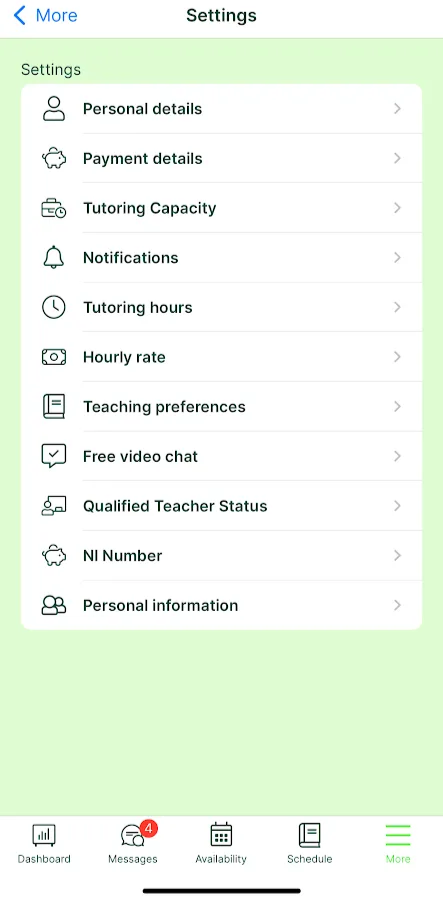
- Tap Settings, then Tutor Capacity.
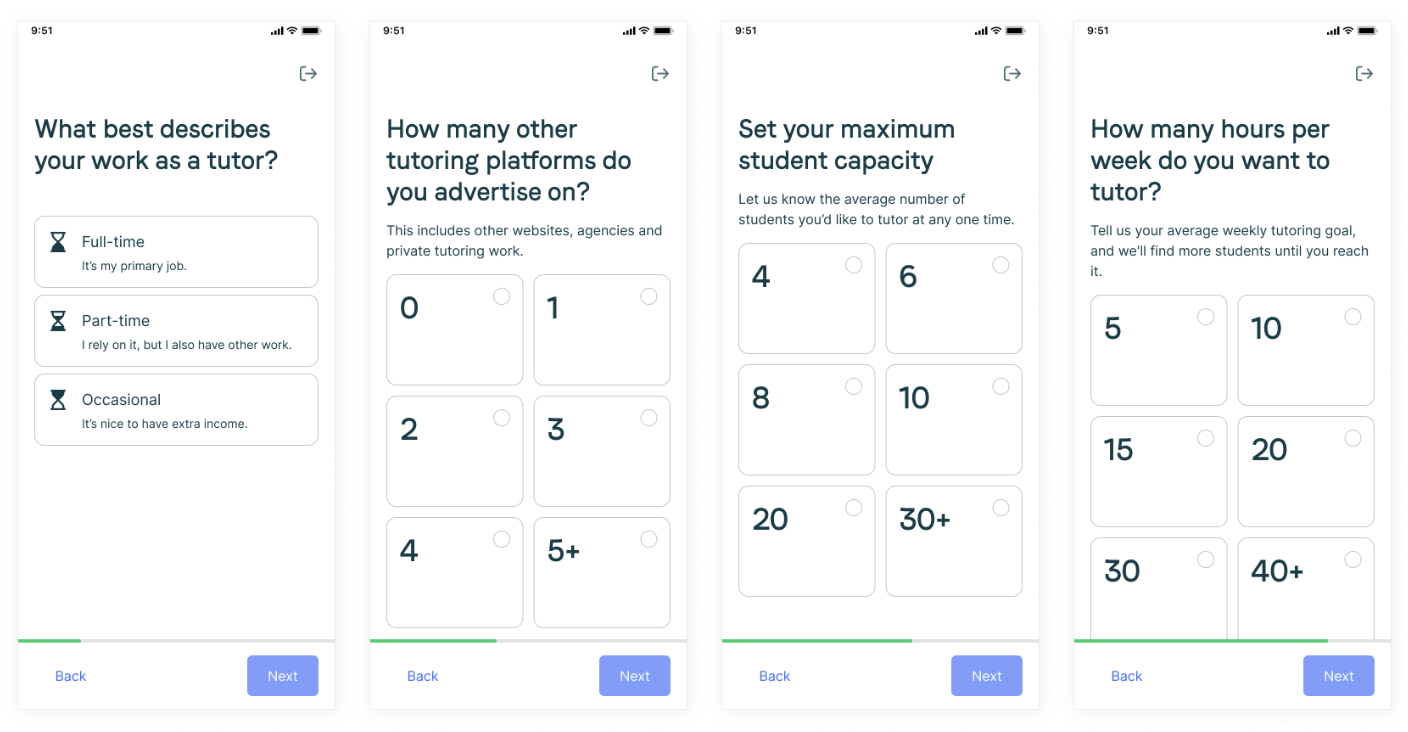
You can tell us:
- Whether you tutor full-time, part-time, or occasionally.
- How many other tutoring platforms or agencies you work with.
- The number of students you want to teach at any one time.
- How many hours per week you’d like to tutor.
Was this article helpful?
That’s Great!
Thank you for your feedback
Sorry! We couldn't be helpful
Thank you for your feedback
Feedback sent
We appreciate your effort and will try to fix the article