The Shortlist feature lets you save tutors from the search results to come back to later.
How to save a tutor to your shortlist
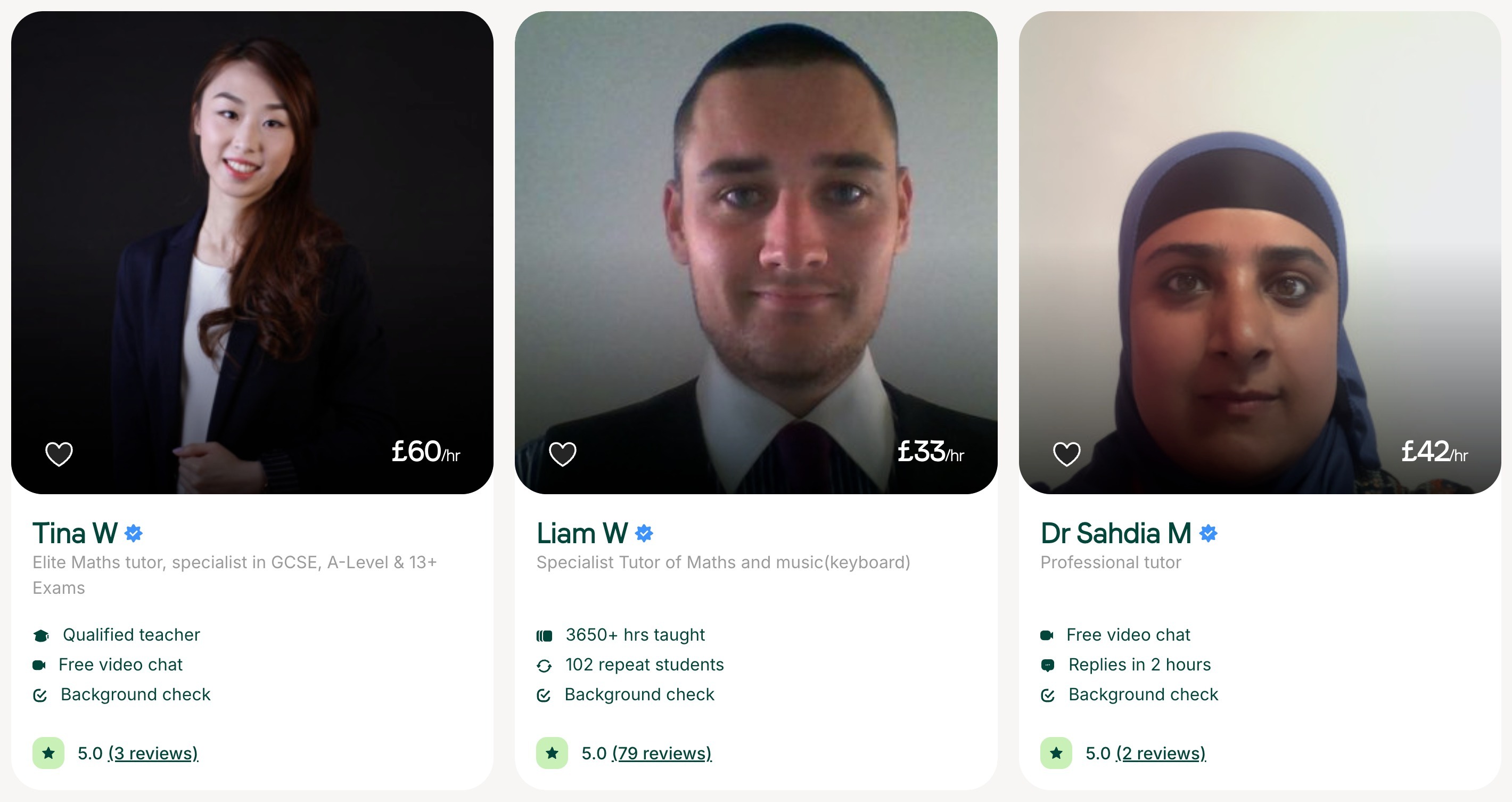
On the search results page, each tutor card has a heart button on the profile picture. Click it to save the tutor to your Shortlist. Click it again to remove them.
How to view your shortlist of tutors
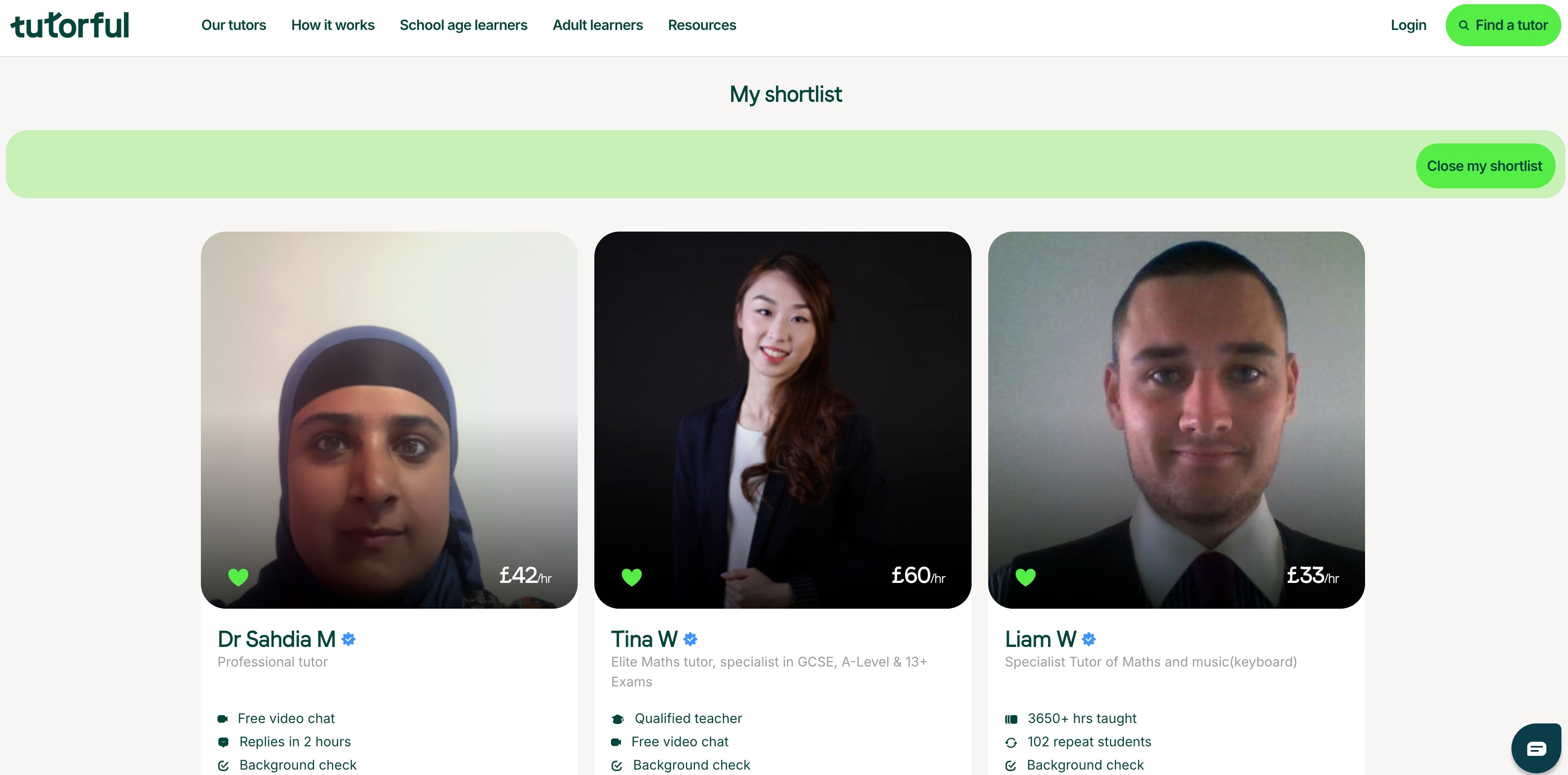
Click the Shortlist button in the green search bar at the top of the search page to see your shortlisted tutors.
How to return to the search results
From your Shortlist, click Close my shortlist or Find a tutor.
Which devices your list works on
Your shortlist is stored on the device you saved them on, so a list saved on your computer won’t show on your phone. Also note:
- Clearing your cache removes your saved tutors.
- Using incognito mode won’t save your list.
Was this article helpful?
That’s Great!
Thank you for your feedback
Sorry! We couldn't be helpful
Thank you for your feedback
Feedback sent
We appreciate your effort and will try to fix the article