You can issue a full or partial refund up to 2 days (48 hours) after a lesson has taken place. You’ll need to wait until the lesson shows as completed, as you can’t refund a lesson while it’s still due to happen.
How to refund on the web
- Go to your completed lessons and click View lesson next to the one in question.
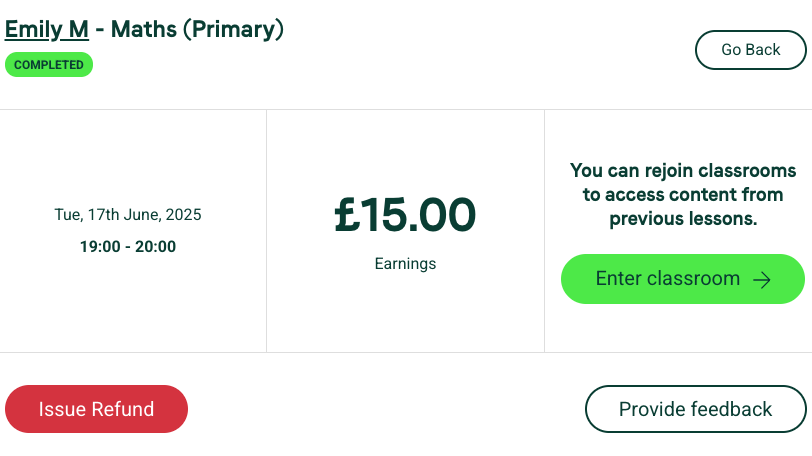
- Within 48 hours of the lesson, you’ll see Issue refund. Click it.
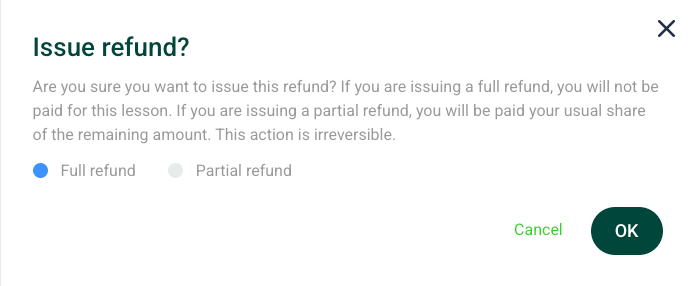
- The form defaults to a full refund; click OK to confirm.
- For a partial refund, select that option, type the amount, and click OK.
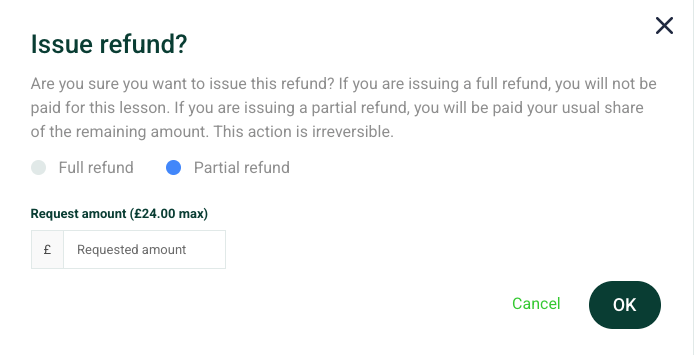
The student is notified, and they’ll get an email from Stripe once the refund is processed back to their bank.
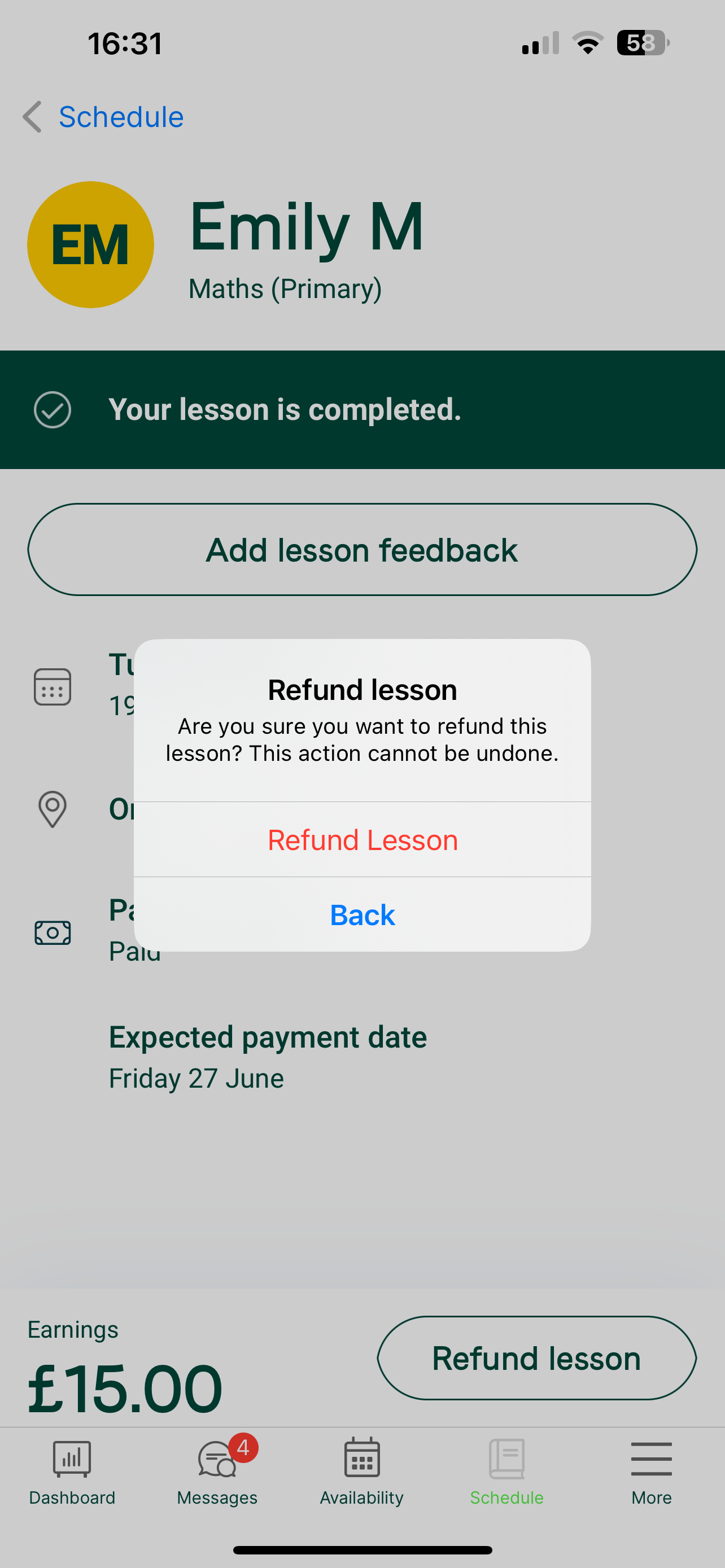
How to refund on the app
Tap the lesson and select Refund Lesson.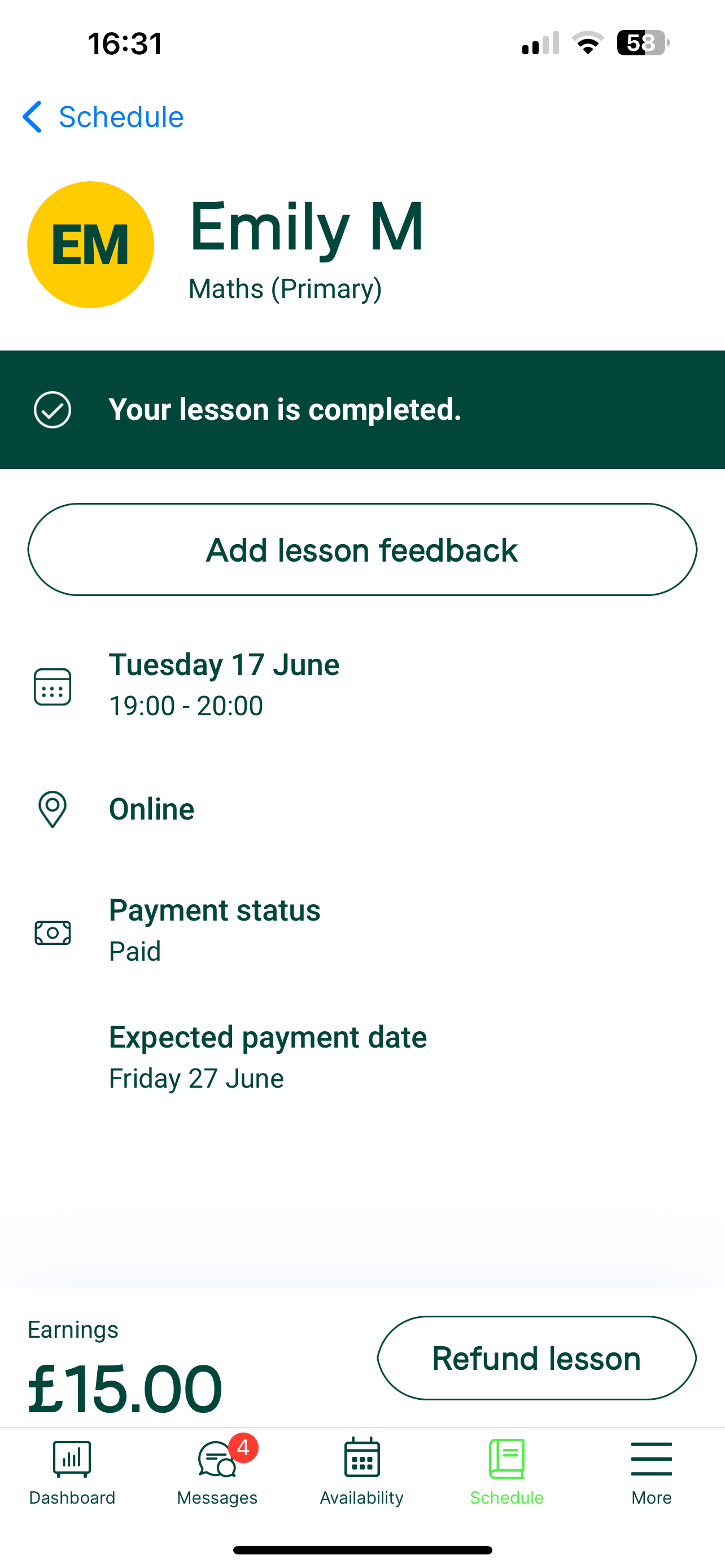
If the lesson was more than 2 days ago
Contact our team at support@tutorful.co.uk and we’ll help.
Was this article helpful?
That’s Great!
Thank you for your feedback
Sorry! We couldn't be helpful
Thank you for your feedback
Feedback sent
We appreciate your effort and will try to fix the article