If you can’t hear other participants, or they can’t hear you, work through these checks.
How to troubleshoot audio
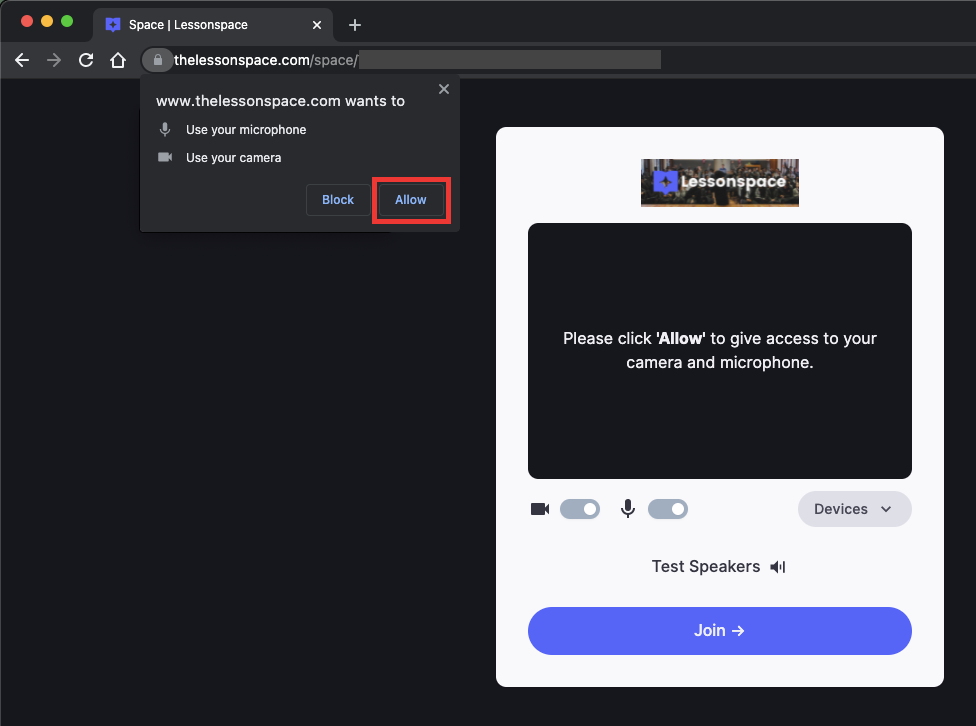
- Make sure you’ve given your browser permission for audio and video. When you join, a pop-up asks you to allow access. Press Allow, and ask other participants to do the same.
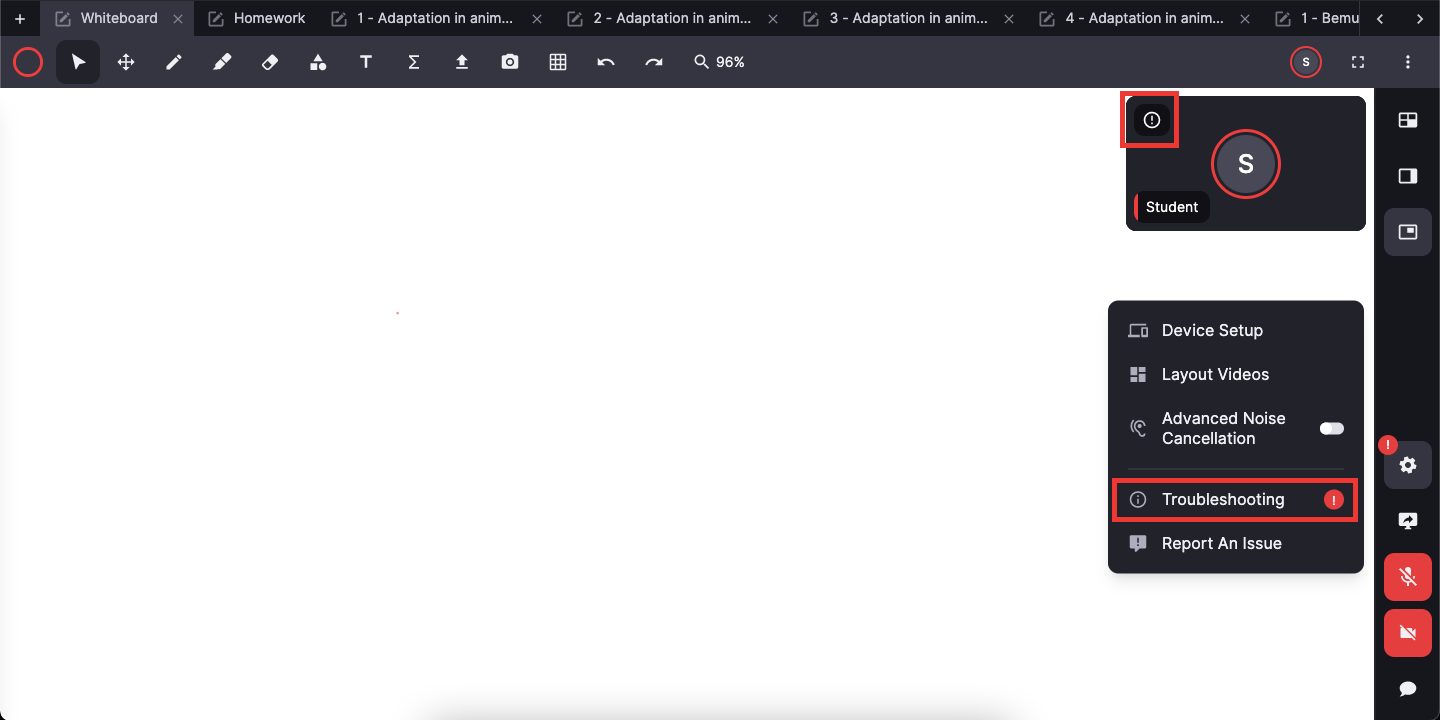
- Check the Troubleshooting menu for any prompts about issues in the Space. You can also see whether other participants are having issues.
- Make sure your hardware isn’t muted. Look for the mute icon that shows whether the site is muted, click it to unmute, and turn up the volume on your hardware. Use headphones for better audio quality if you can.

- Check the Device Setup menu and choose a different audio source.
- After any change, reload the page and rejoin the Space.
Was this article helpful?
That’s Great!
Thank you for your feedback
Sorry! We couldn't be helpful
Thank you for your feedback
Feedback sent
We appreciate your effort and will try to fix the article