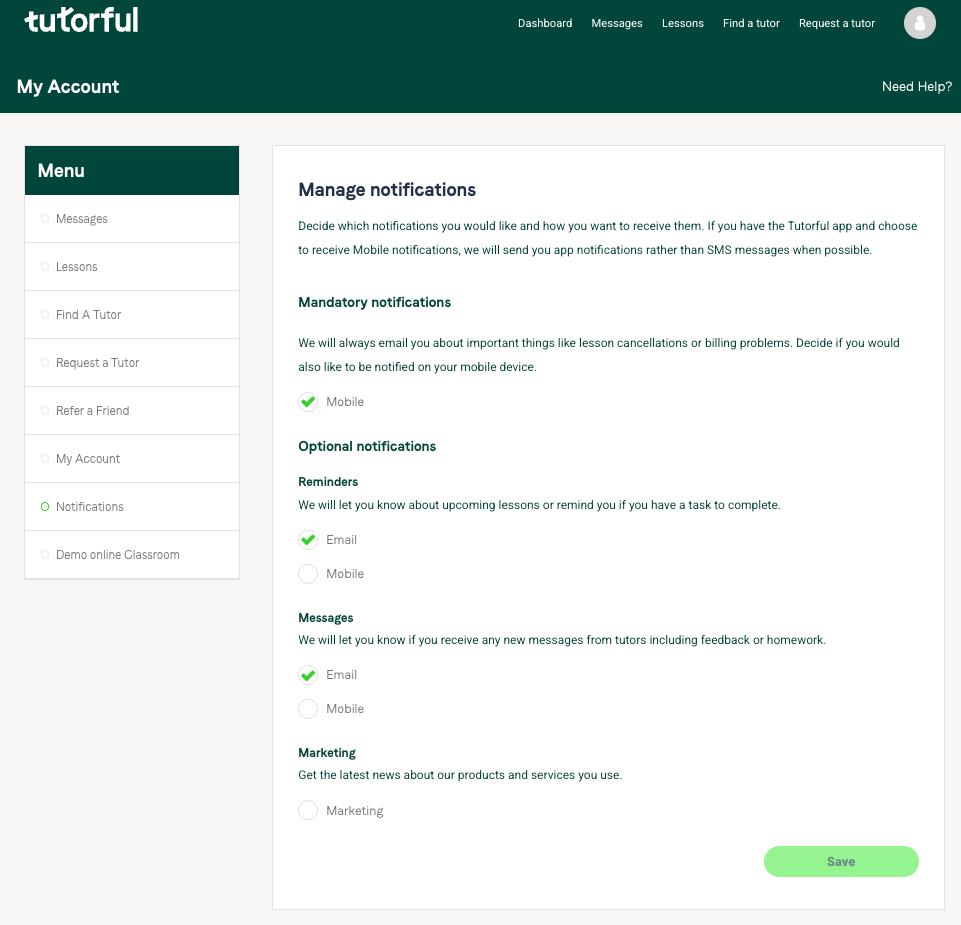
You can manage your notifications on the web or the app. They’re grouped into four categories: Mandatory, Reminders, Messages, and Marketing.
The four categories
- Mandatory: important notifications like lesson payments. We always email these, and you can also opt into mobile notifications.
- Reminders and Messages: choose email or mobile for each. We strongly recommend at least one, so you don’t miss anything.
- Marketing: optional emails.
How to manage on the web
- Log in and click the Account tab.
- Go to the Notifications section and set your preferences.
How to manage on the app
- Click the settings icon in the top corner.
- Select Notifications and set the same options as on the web.

Was this article helpful?
That’s Great!
Thank you for your feedback
Sorry! We couldn't be helpful
Thank you for your feedback
Feedback sent
We appreciate your effort and will try to fix the article