If you can’t make a lesson, message your tutor with a new time and they can reschedule it. If there’s no suitable time, you can cancel through your account. Cancel with as much notice as possible to avoid late cancellation fees.
How to cancel on the web
- Log in and go to your Lessons page.
- Select Lesson Details next to the session.
- Click Cancel lesson.
- Select a reason. For a scheduling reason, you’ll get a link to reschedule instead, which we recommend where possible.
- Confirm with Cancel lesson. This notifies your tutor.
How to cancel on the app
- Go to the Calendar tab at the bottom of the screen.
- Pick the lesson, click Cancel Lesson, then choose Reschedule lesson or Cancel lesson.
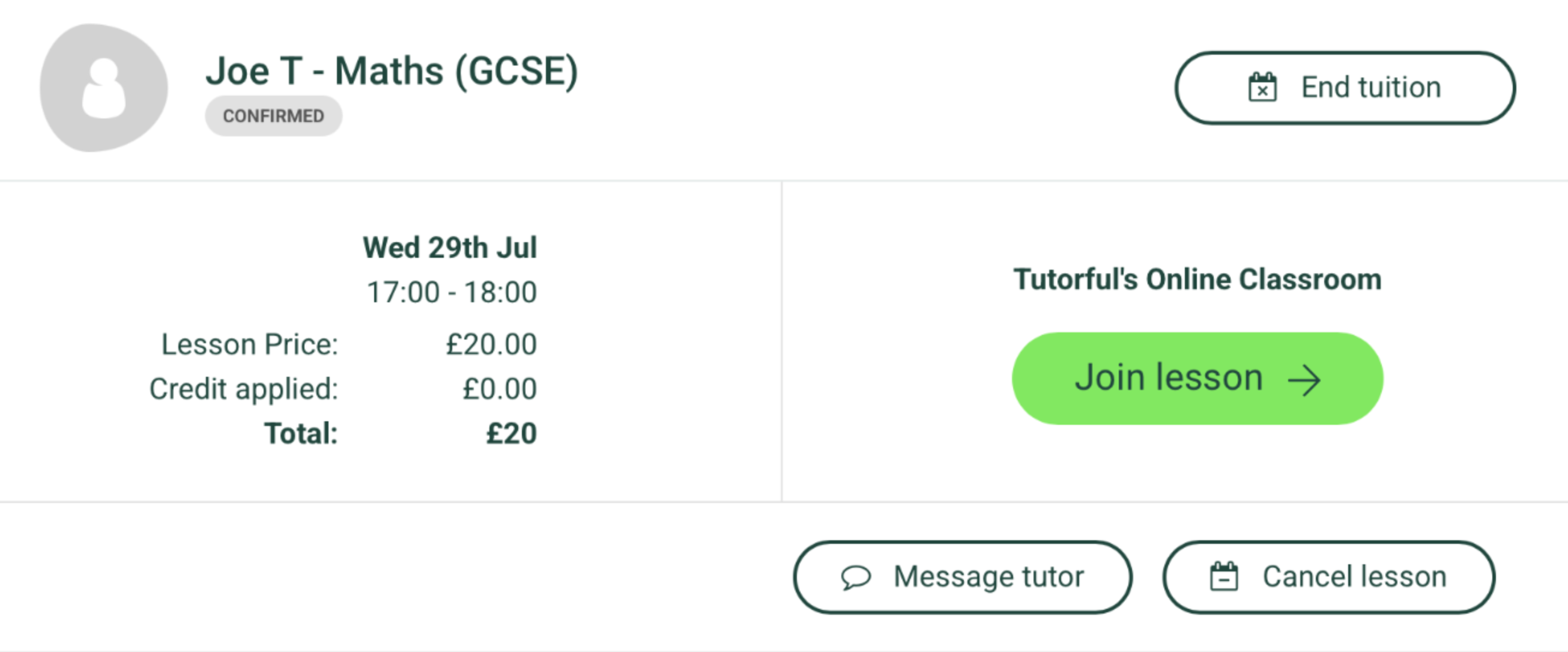
How to cancel all remaining lessons on the website:
- To cancel all remaining lessons on the website, select "End Tuition", as below:
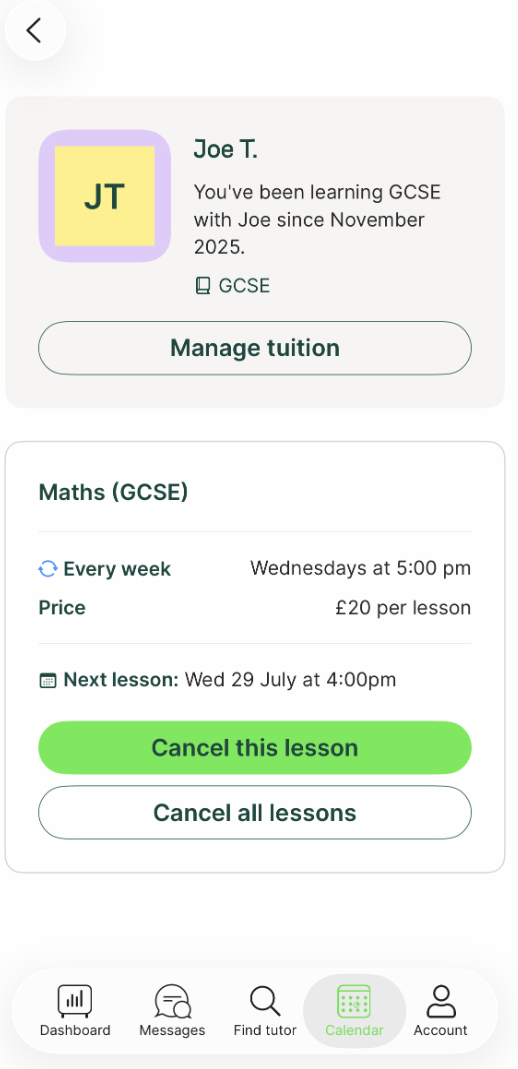
How to cancel all remaining lessons on the app:
- To cancel all remaining lessons on the app, select "Cancel all lessons", as below:
A note on charges
Cancelling less than 24 hours before the start may mean late cancellation charges. If your cancellation is eligible, you’ll see a message on screen detailing the charges.
What to do next
For the full charge rules, see “What is your cancellation policy?”.
Was this article helpful?
That’s Great!
Thank you for your feedback
Sorry! We couldn't be helpful
Thank you for your feedback
Feedback sent
We appreciate your effort and will try to fix the article