This is for ending all lessons with a tutor. To cancel a single lesson instead, see How can I reschedule or cancel a booking?.
How to stop lessons with your tutor
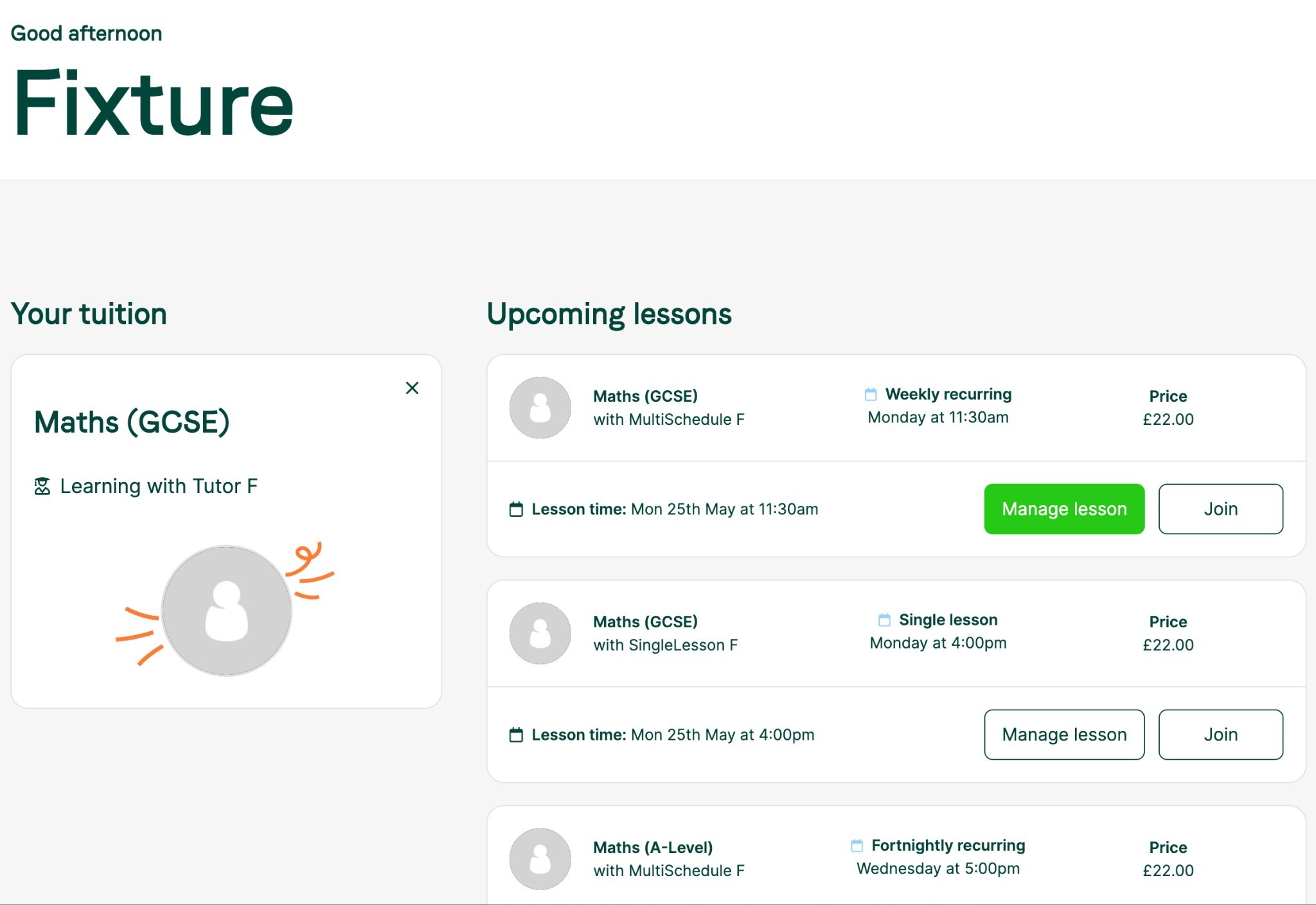
- Log in and go to Upcoming Lessons on your dashboard.
- Select Manage Lesson for the tuition relationship you want to end.
3. On the lesson detail page, select Manage Tuition and choose your reason.
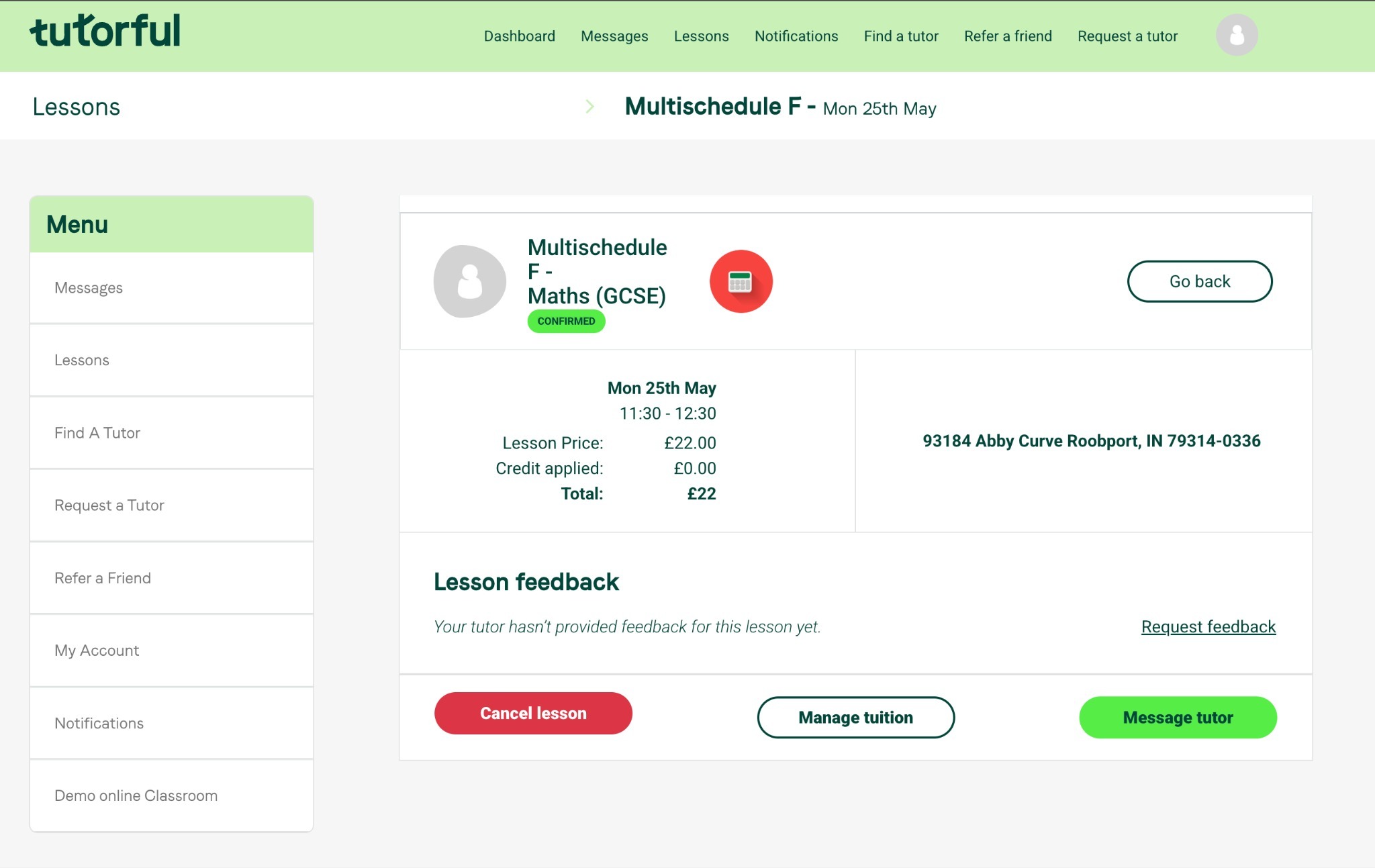
Please pick an accurate reason. It helps us give you the right support, whether that’s finding a new match or ending lessons for now.
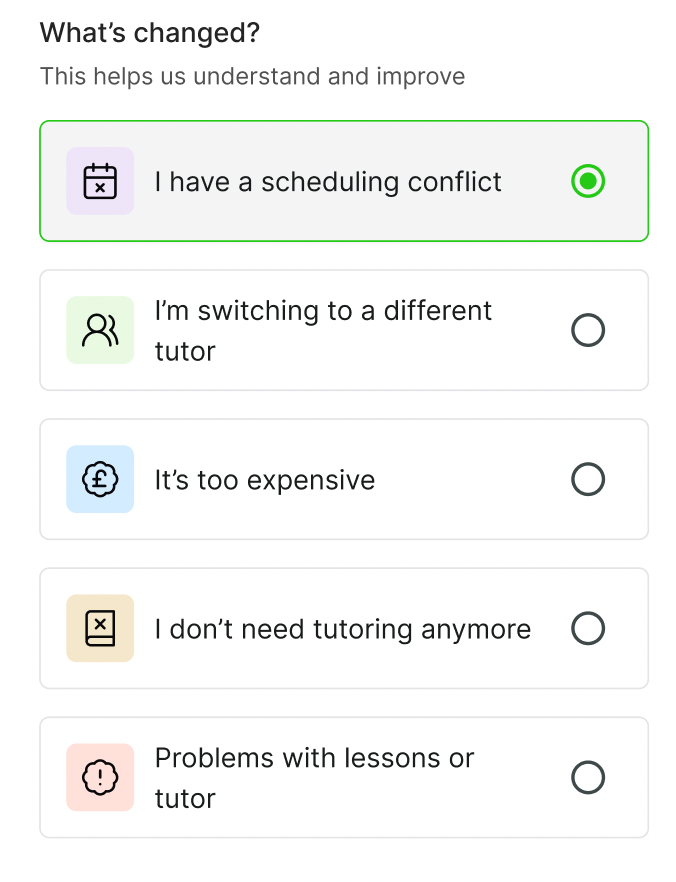
The five reasons for ending
- I have a scheduling conflict: your timetable or work hours changed and the slot no longer works.
- I’m switching to a different tutor: a different teaching style suits you better, or you’ve found a better match.
- It’s too expensive: your budget changed, or the rate isn’t sustainable.
- I don’t need tutoring anymore: you’ve met your goal or your circumstances changed.
- Problems with lessons or tutor: technical issues, teaching quality, reliability, or a lesson that didn’t meet expectations.
Common questions
- Will my tutor be upset? No. Tutors understand that needs and schedules change, and a clear reason is the professional way to conclude.
- What happens to my booked lessons? Once you complete the flow, future lessons with that tutor are automatically cancelled. Do this at least 24 hours in advance to stay within the standard cancellation policy.
- Can I come back later? Yes, as long as the tutor is still active on the platform.
- What about unspent credit? It stays on your account. Use it with a new tutor or later, within 3 months of receiving it.