If a lesson was charged but didn’t go ahead, and it wasn’t cancelled on the system by you or your tutor, request a refund within 2 days. We then contact your tutor to confirm the lesson didn’t take place. They have up to two days to respond before you’re automatically refunded in full.
How to request a refund on the web
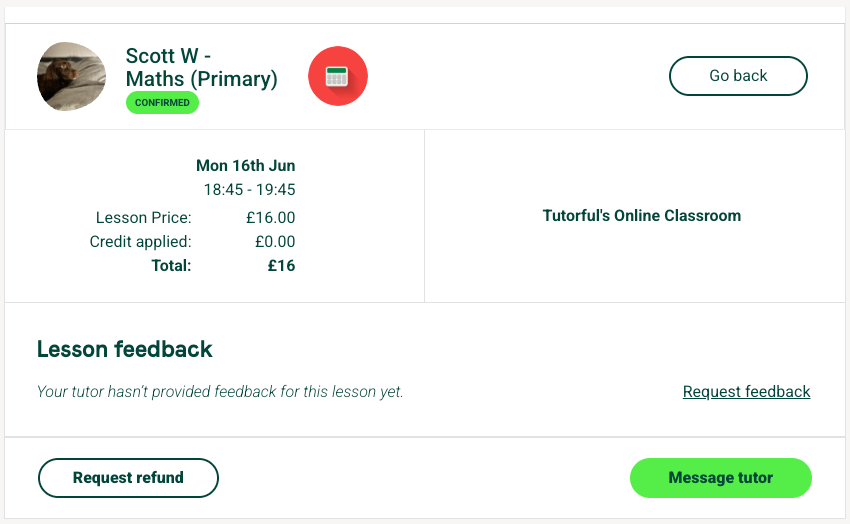
- Log in and go to your Lessons tab. Charged lessons are under Completed.
- Select Lesson details next to the session that didn’t take place.
- Choose Request a refund.
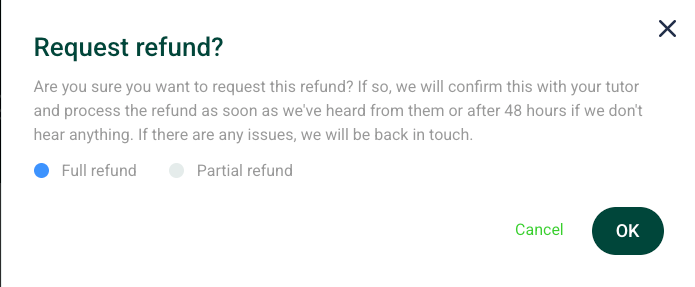
4. Select a full or partial refund. For partial, enter the amount.
How to request a refund on the app
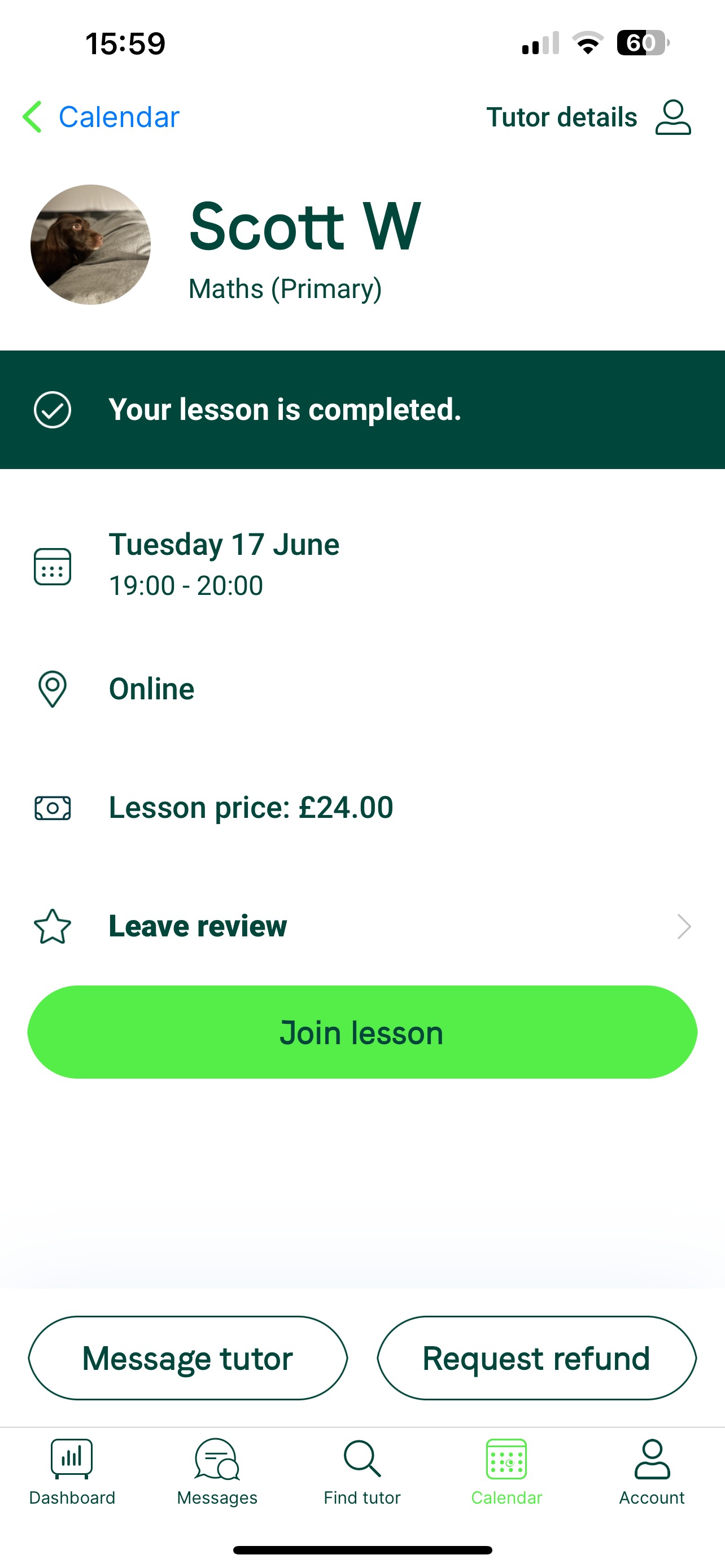
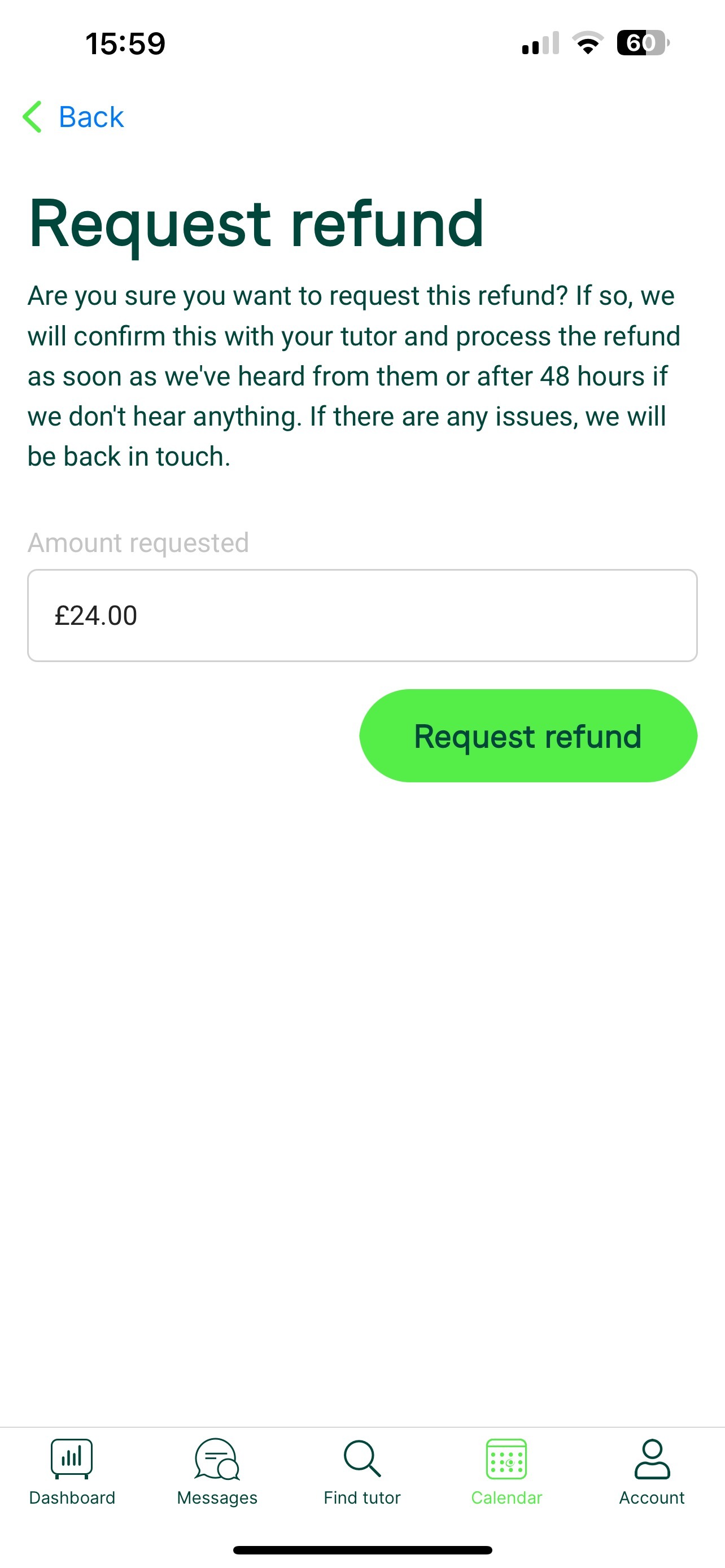
Go to the Lessons tab, tap the lesson, and select Request a refund. Confirm how much to request on the next screen.
After you request
- Once processed by us or your tutor, you’ll get a confirmation email from Stripe.
- Refunds take 3 to 5 working days to reach your account, depending on your bank.
- If you report a lesson didn’t happen after the two-day cut-off, we’ll still try to contact the tutor, but we can only refund if they agree it didn’t take place, as they may already have been paid.
Was this article helpful?
That’s Great!
Thank you for your feedback
Sorry! We couldn't be helpful
Thank you for your feedback
Feedback sent
We appreciate your effort and will try to fix the article