We encourage reviews to help other parents find the right tutor. After your third lesson with a tutor, we email you a link to leave a review. If you’d rather wait, we prompt you again after every three lessons.
How to leave a review
- From the email: click the link we send after your third lesson.
- From your messages: log in, go to the Messages tab, open the thread with your tutor, and click the review link in our message.
- From the tutor’s profile: click the i symbol in the top right next to the Book button (on the app, this is a person outline), then select Leave tutor a review.

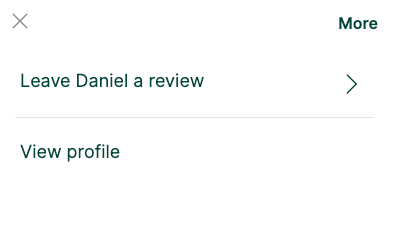
You’ll leave a short comment and a star rating out of five, shown on the tutor’s profile.
Things to know
- You can leave a review even after just a few lessons.
- You can’t edit or remove a review once posted. Send any amendments to our Engagement Team and we’ll update it for you.
- If you have trouble, send your comment and star rating to our Engagement Team at support@tutorful.co.uk and we’ll post it for you.
Was this article helpful?
That’s Great!
Thank you for your feedback
Sorry! We couldn't be helpful
Thank you for your feedback
Feedback sent
We appreciate your effort and will try to fix the article