Time Slots for new students are your commitment to when you’re available to teach new students. Rather than asking you to manually manage daily schedules, we simply ask you to re-commit to your chosen slots every 3 weeks.
In return for keeping your availability fresh and up-to-date, we give your profile a visibility boost as a thank-you.
What a Time Slot is
A Time Slot is your commitment to both students and Tutorful that you’re available for a new-student lesson at that time. You can set slots in 30-minute increments, but one Time Slot refers to a one-hour lesson. One Time Slot equals one hour.
How to set your Time Slots for the first time
- Go to your tutor dashboard.
- On the pop-up, click Review and commit.
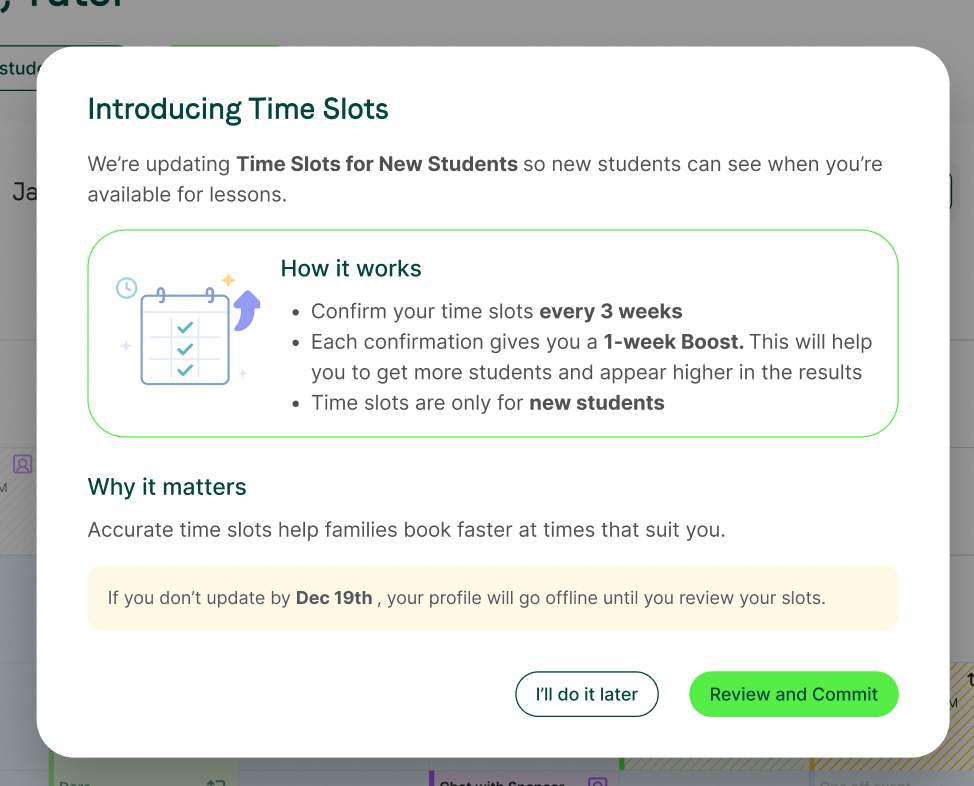
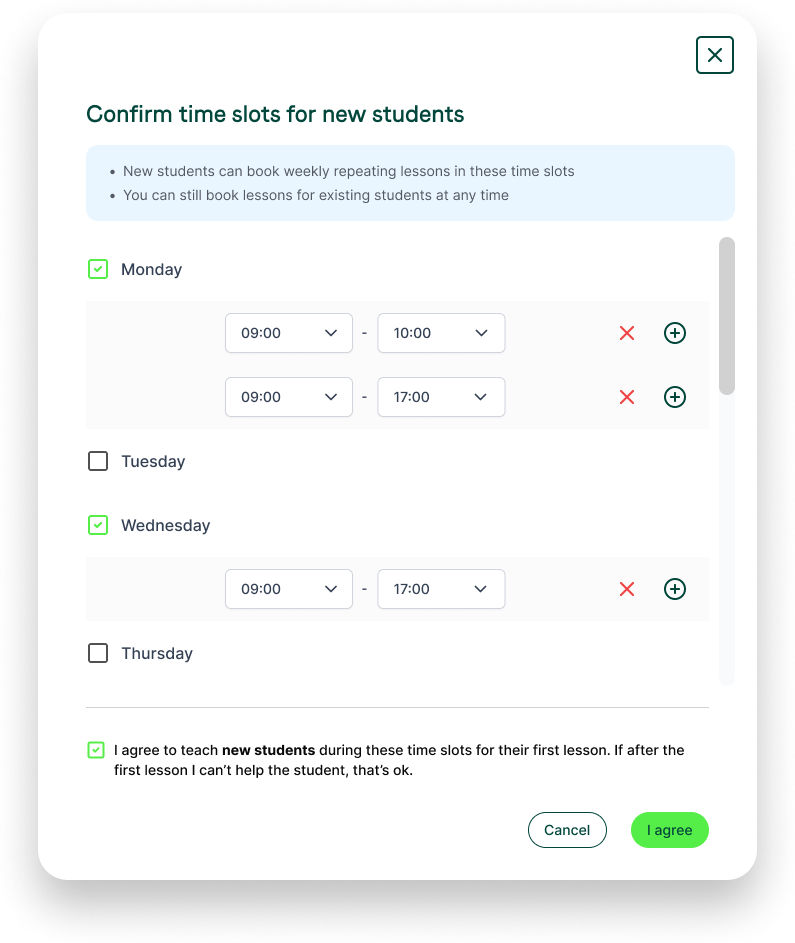
- After selecting I want new students, choose the slots to make available.
- Confirm you’re happy to teach the first lesson booked at these times.
What happens after you confirm
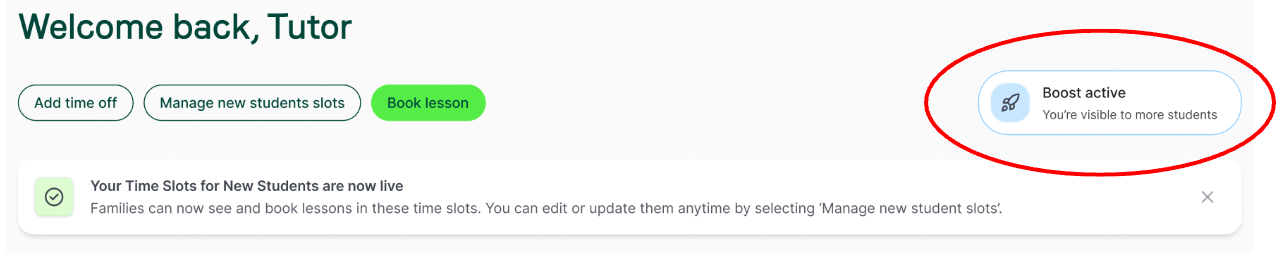
- A confirmation message appears, and new students can book those slots.
- Your profile visibility is boosted for 7 days, so you don’t need to re-commit daily to keep the boost.
Keeping your commitment active
Check your slots are accurate regularly. As your commitment nears expiry, you’ll see an on-screen reminder with the days remaining. You’ll have two options:
- Commit to slots: renew your commitment.
- Learn more: get more information first.
You can reconfirm any time without waiting for expiry, and reconfirming boosts your profile if it isn’t already boosted.
Why we ask you to re-commit regularly
Keeping your time slots fresh ensures the platform works efficiently for everyone:
It shows us you actively want new work: Clicking to confirm your slots proves you are ready and eager to take on new students.
It ensures accurate availability: Knowing exactly when you can teach means students find a match faster, leading to a much better experience for them.
It creates a win-win for everyone: When students get fast, successful matches, Tutorful can invest more into marketing and acquiring new student enquiries, directly benefiting keen, committed tutors with more booking opportunities.
What happens if you don’t keep them up to date
- Your commitment expires after 3 weeks if you don’t recommit, and your profile goes offline until you do.
- If you reject lesson requests at times and in subjects you’ve committed to, your profile may be turned offline.
- If a student needs help in a specific area of a subject that isn’t your expertise, declining won’t affect your visibility.
Was this article helpful?
That’s Great!
Thank you for your feedback
Sorry! We couldn't be helpful
Thank you for your feedback
Feedback sent
We appreciate your effort and will try to fix the article