We accept Enhanced DBS checks, the PVG Scheme Record, or an Enhanced Access NI check dated within the last three years. We must see a copy before you can claim Background Checked status and tutor with us.
What we can and can’t accept
- We accept enhanced DBS checks only. Standard and basic checks don’t provide the level of information we need.
- We accept PVG Scheme checks but not PVG Short Scheme checks.
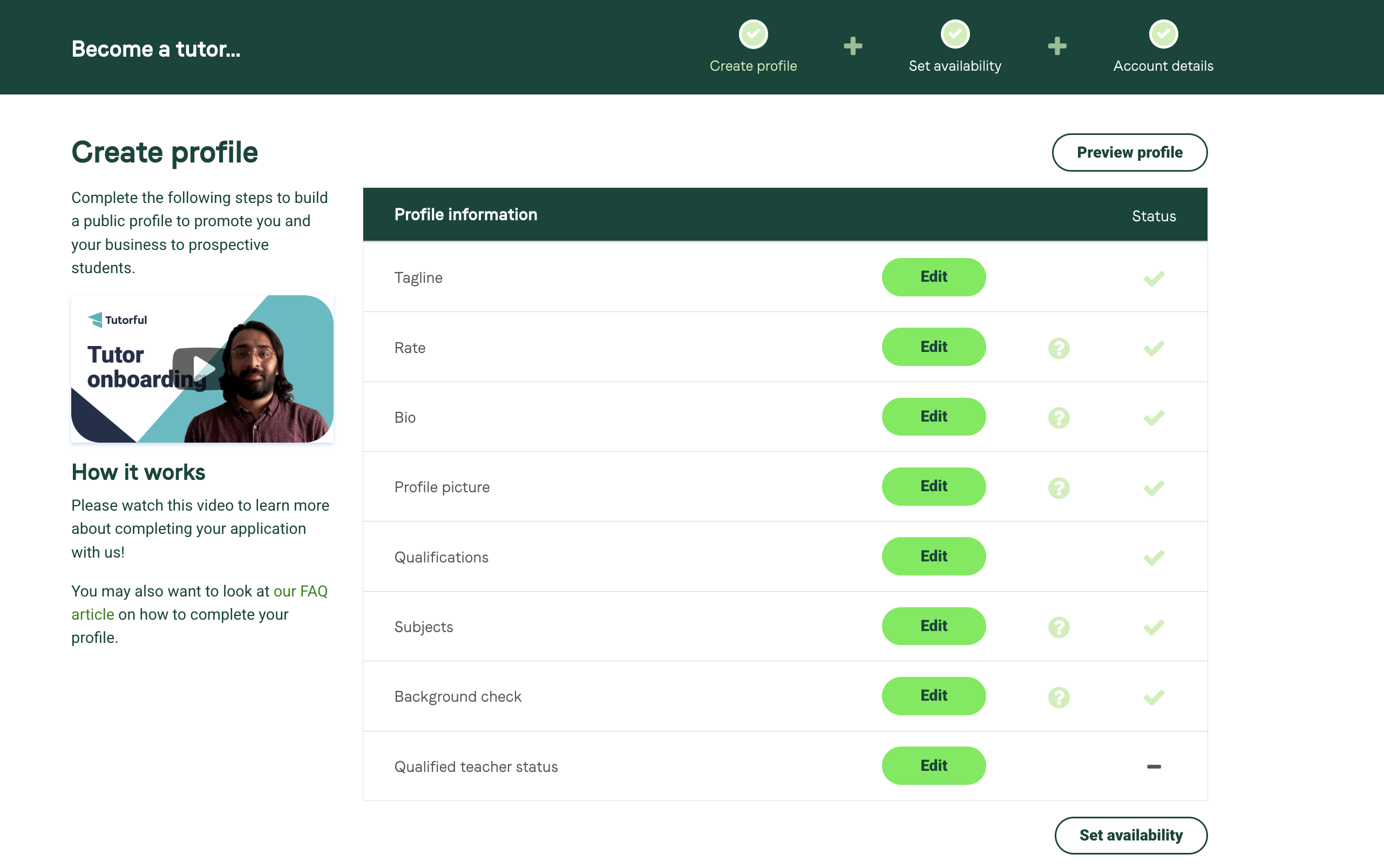
How to upload from the web
- Log into your account and go to your profile.
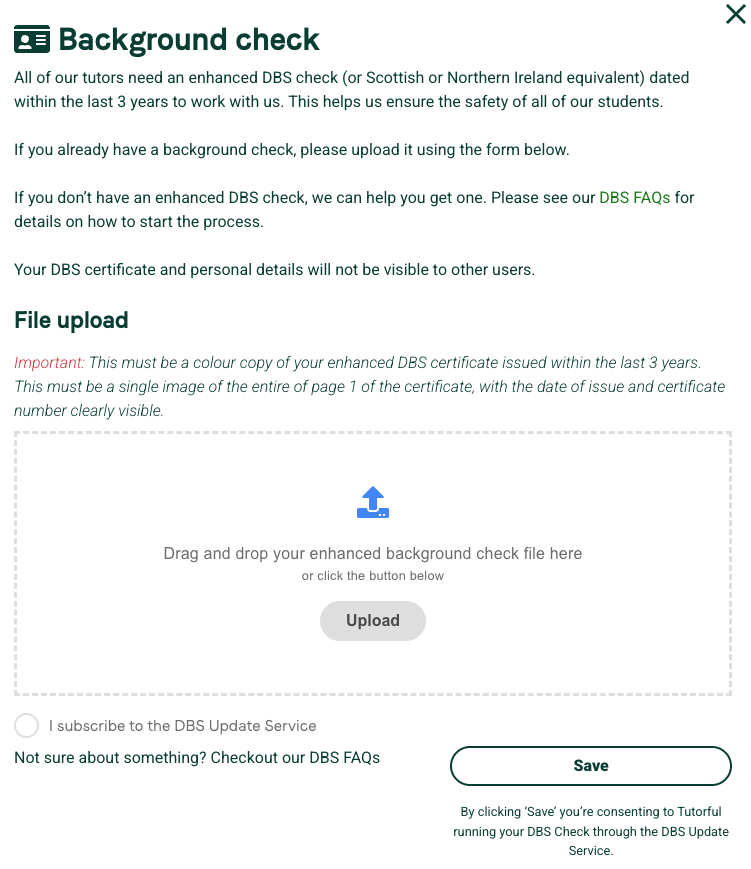
- In editor mode, find the option to upload your background check.
- Upload a clear copy of your certificate and click Save.
How to upload from the app
- Tap More in the bottom right corner.
- Select Edit Profile.
- Tap Background check and upload your certificate.
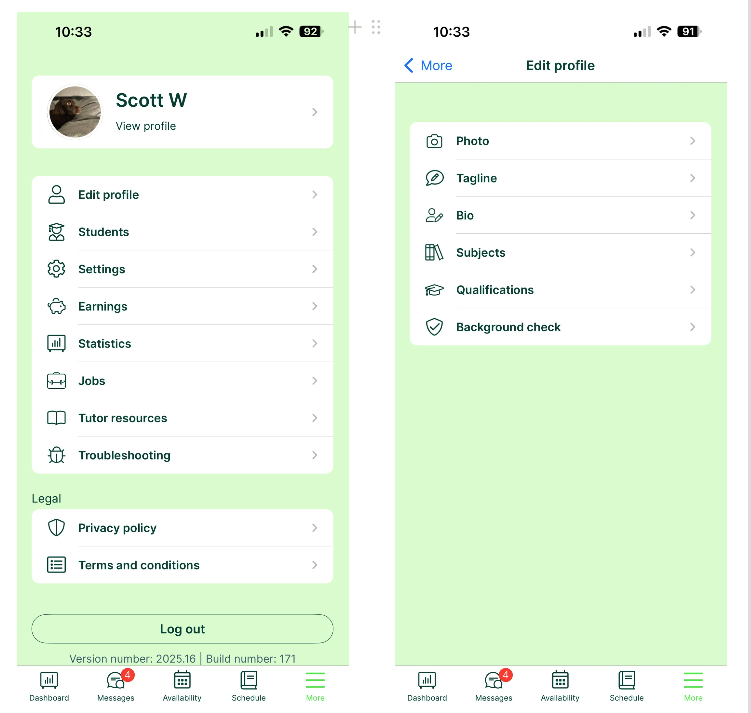
Photo requirements
Make sure your certificate photo is:
- In colour
- Enhanced
- Dated within the last three years
- Visible in one photo
- Readable
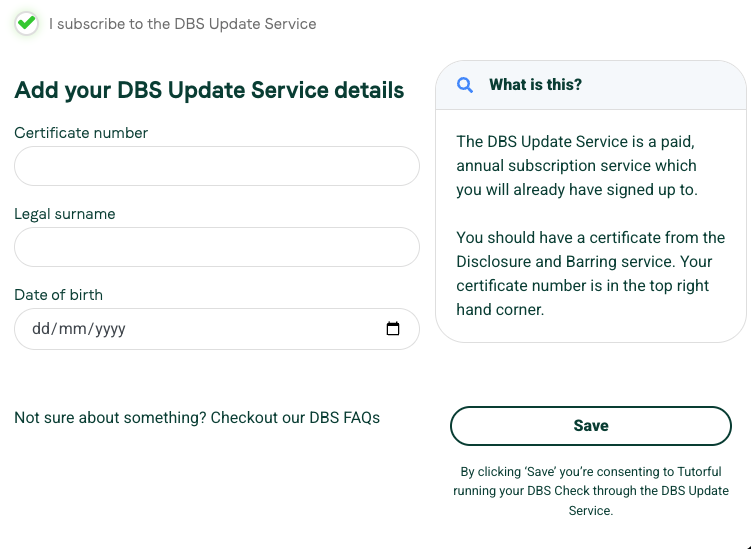
If you’re on the DBS Update Service
You must still supply an image of the original certificate; we can’t run a check without seeing it. To run the check, provide:
- The certificate number (not the Update Service ID number)
- Your surname as it appears on the certificate
- Your date of birth
Was this article helpful?
That’s Great!
Thank you for your feedback
Sorry! We couldn't be helpful
Thank you for your feedback
Feedback sent
We appreciate your effort and will try to fix the article