A dynamic tagline changes the subject to match what a student is searching for. Add {subject} to your tagline, and a student searching “Maths” sees “Experienced Maths tutor”, while one searching “Biology” sees “Experienced Biology tutor”.
The “Maths” you see while filling out your application is just a placeholder example, not what shows on your profile.
How to set a dynamic tagline
- Go to the Profile tab of your account.
- Click Edit next to Tagline.
- Set a dynamic tagline using {subject}, and a generic one.
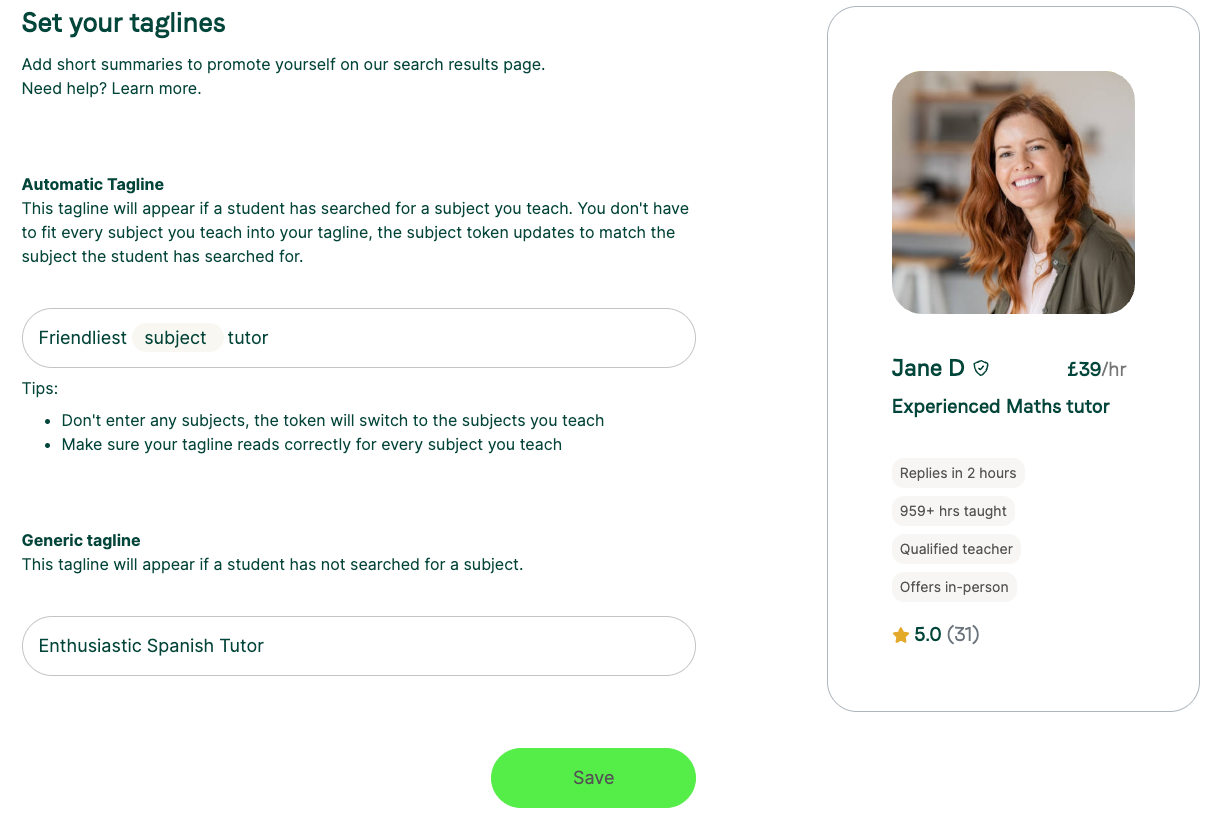
What is the generic tagline?
This shows when a student hasn’t searched for a specific subject, for example when:
- You preview your own profile.
- A student visits your profile directly.
- No subject was searched in the results.
Was this article helpful?
That’s Great!
Thank you for your feedback
Sorry! We couldn't be helpful
Thank you for your feedback
Feedback sent
We appreciate your effort and will try to fix the article