Of course. You can update your bank details on the website or the app.
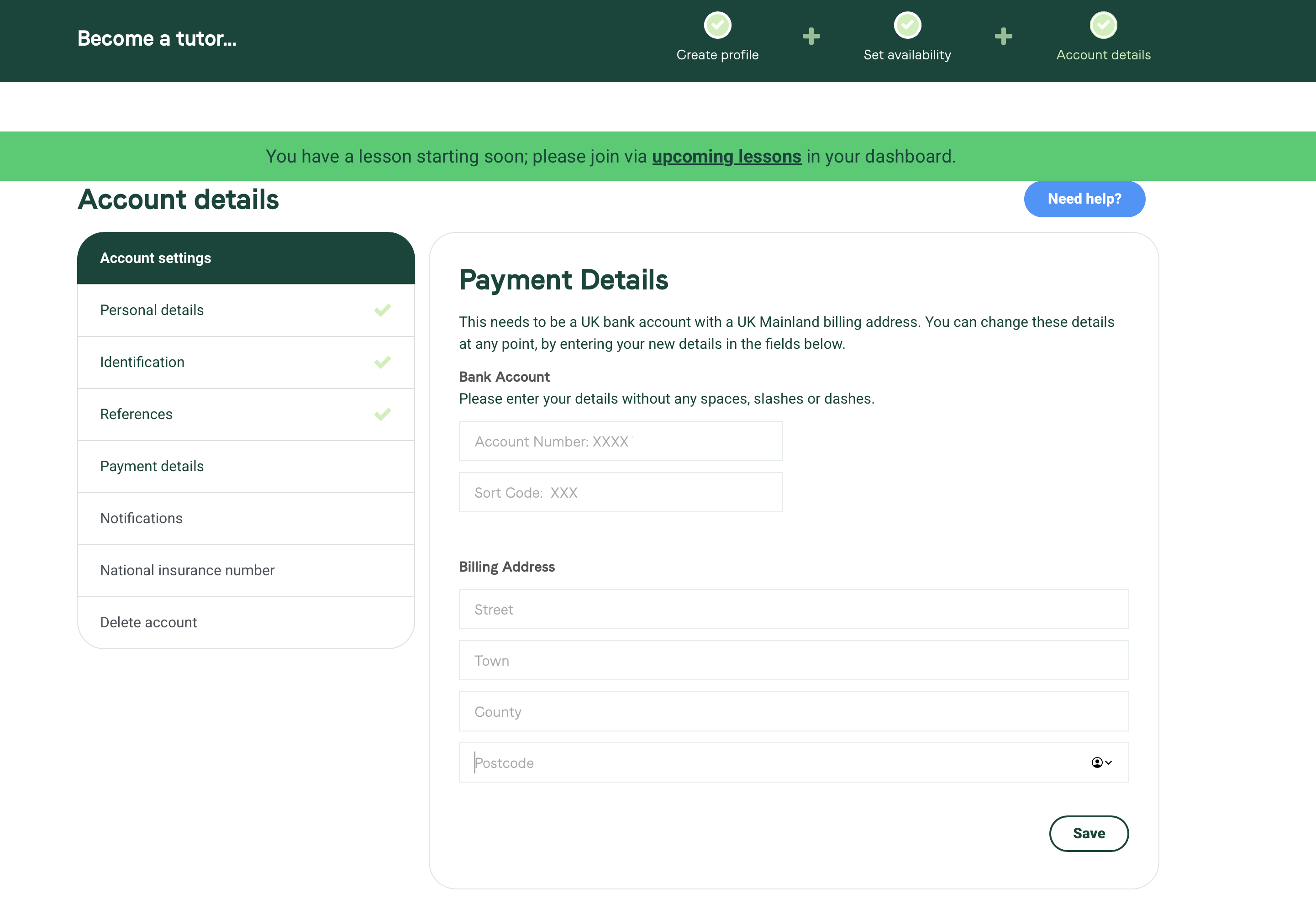
How to change your bank details on the web
- Log into your account and go to the Account tab in the top bar.
- Go to the Payment section.
- Enter your new details over the old ones and hit Save.
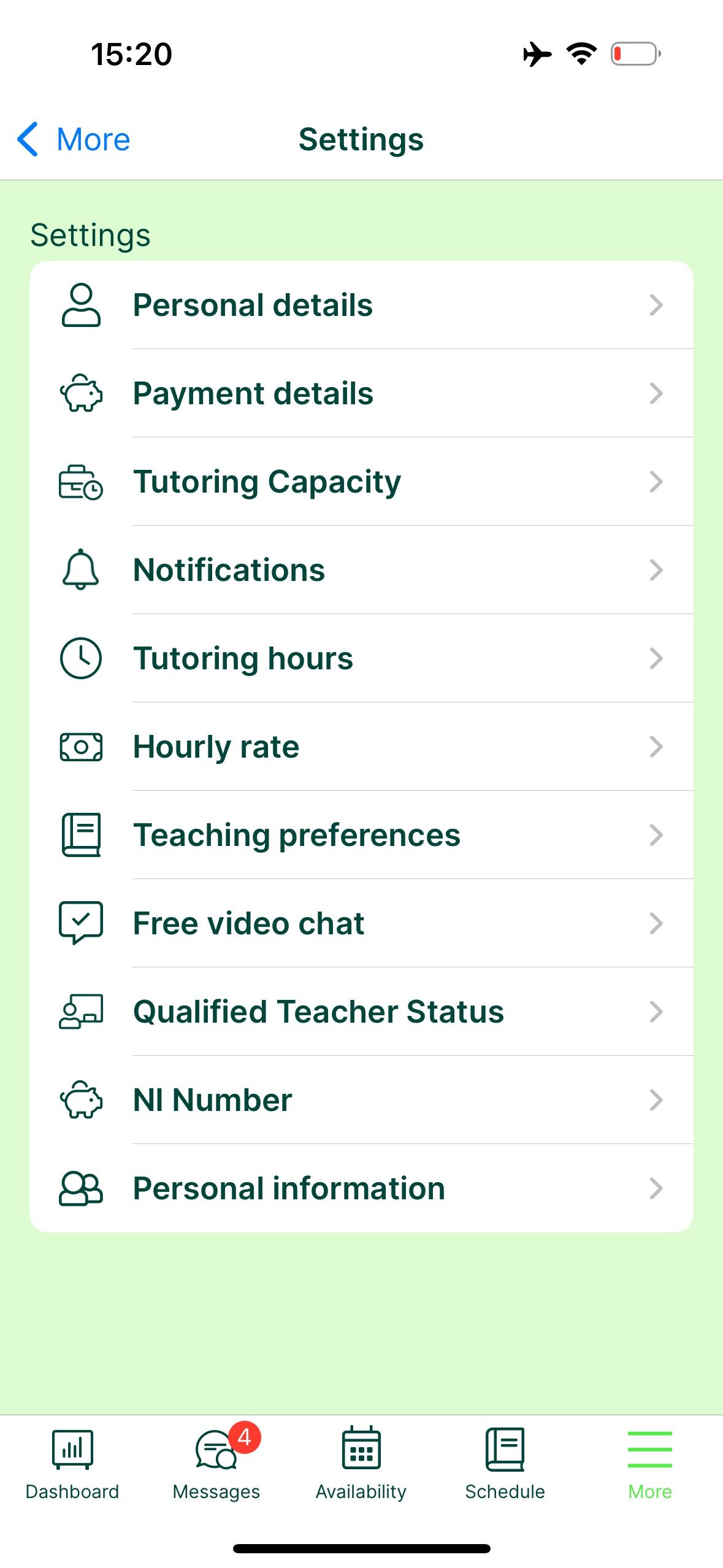
How to change your bank details on the app
- Go to the More section in the bottom right corner.
- Go to Settings.
- Select Payment details and update your account details.
What happens to payments already processing
- Any payment already processing into your old account will be paid there. We can’t recall these.
- If your old account is closed, Stripe recirculates the payment into your new account after the first attempt fails. This is controlled by Stripe, so we can’t give an estimated date for when you’ll receive it.
- Change your details as soon as possible, before your old account is closed. Assume payments for lessons taught before the change go to your old account.
Was this article helpful?
That’s Great!
Thank you for your feedback
Sorry! We couldn't be helpful
Thank you for your feedback
Feedback sent
We appreciate your effort and will try to fix the article