
Time Slots for New Students help you manage when new students can book lessons with you.
They are your commitment to both students and Tutorful when you are available for lessons with new students.
Regularly committing to these will result in an increase in your visibility on Tutorful.
This guide walks you through how to set up your slots, keep your commitment active, and make the most of Boost.
How to add Time Slots for New Students for the first time
- Go to your tutor dashboard.
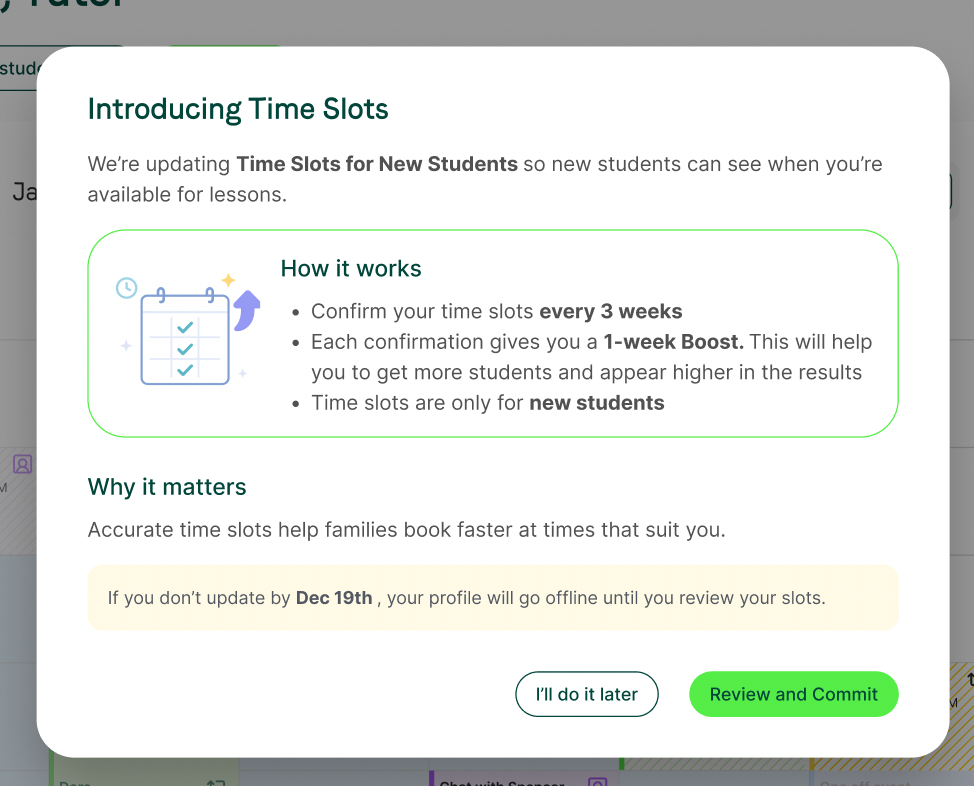
- You’ll be shown the following pop-up, click Review and commit
How to Confirm Your Recurring Time Slots for New Students
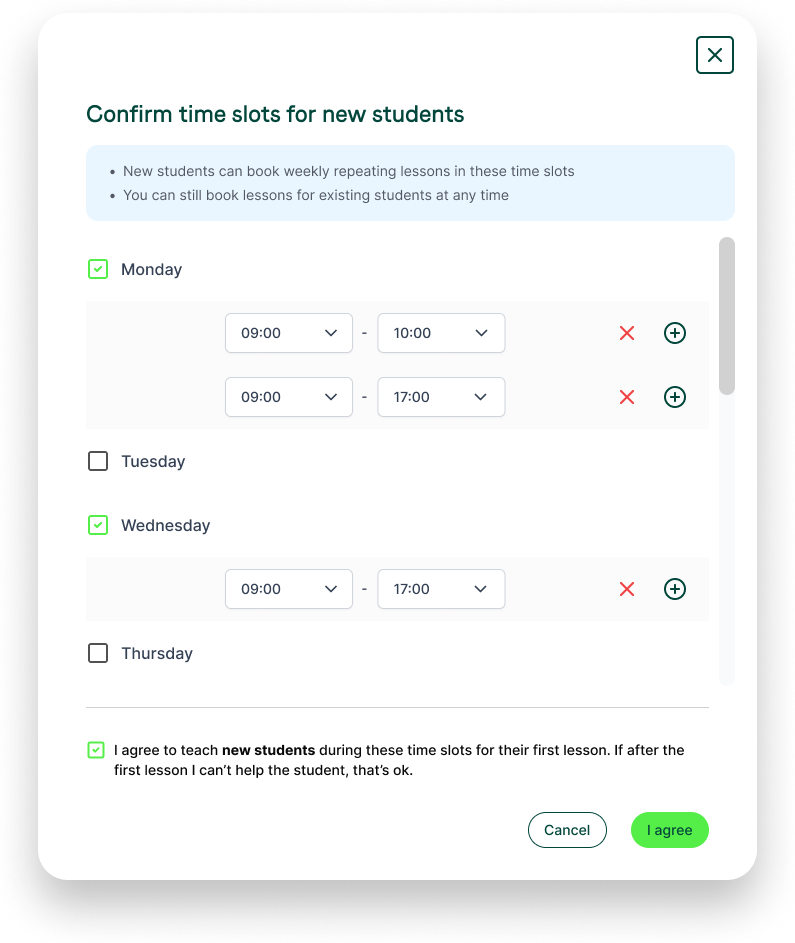
After selecting, I want new students:
- Choose the time slots you want to make available to new students.
- Confirm that you're happy to teach the first lesson booked at these times. This ensures students only book at times that work for you.
What Happens After You Confirm?
Once you confirm your commitment:
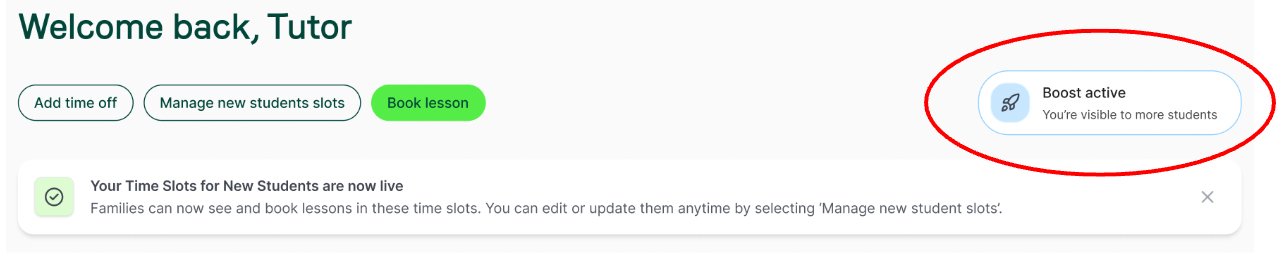
- A confirmation message will appear letting you know that new students can now book in those slots.
- Your profile visibility will also now be boosted as you’ve let us know that you want to take on new students.
Your boost in the search results will last 7 days, so don’t worry, you won’t need to re-commit every day to maintain your boost!
Keeping Your Commitment Active
To make sure that students are seeing up-to-date information on your calendar, it's important that you regularly check that your slots are accurate.
When your commitment is getting close to expiring, you’ll see an on-screen reminder showing how many days you have left before we’ll ask you to check and reconfirm your slots.
You’ll have two options:
- Commit to slots — this takes you back to your slot selection to renew your commitment
- Learn more — if you want additional information before reconfirming

You can reconfirm your slots at any time; you don’t need to wait for it to expire. Reconfirming your slots will boost your profile, if it isn’t already boosted.
If you aren’t able to recommit to your Time Slots for New Students before the expiry date, your profile will be taken offline. Don’t worry, though, if you still want to take on new students, you just need to review and reconfirm your slots.
What is a Time Slot for New Students?
Your Time Slots for New Students are your commitment to both students and Tutorful when you are available for lessons with new students. We’ve found that students generally prefer hour lessons, as such, even though you can set 30 minute increments when managing your slots, when referring to a time slot this is the equivalent of an hour long lesson. One time slot = One hour.
Why is it important to keep your Time Slots for New Students up to date?
We want to remove the time you and your students spend going back and forth trying to find a time that works for you both to have your first lesson.
Time Slots for New Students mean that you can both be confident that when a lesson is requested, it will be able to take place. It also means that we’re confident that we’re showing students tutors who are able to help them at the date and time they need.
What happens if you don’t keep your Time Slots for New Students up to date?
Your commitment to your Time Slots for New Students will expire after 3 weeks if you don’t recommit - if this happens, your profile will be turned offline until you recommit.
If you reject lesson requests from students at times you’ve committed to being available for new students and in subjects that you have stated you will teach, your profile may be turned offline.
Don’t worry, though, we know that sometimes students need help in specific areas of a subject that may not be your personal area of expertise. In these cases, your profile visibility won’t be affected.